PRs can start from your Git host or the CLI.
GitHubGitLabBitbucketCLI

Open source AI code review without vendor lock‑in. Runs on your infrastructure, with the LLM you choose.
Trusted by 5,000+ teams around the world
 Kody
Code review
Kody
Code review
Self-hosted AI code review is when the AI that reviews your pull requests runs on your own infrastructure, not on a vendor's cloud.
Source code, LLM calls, and review history stay inside the network your team controls.
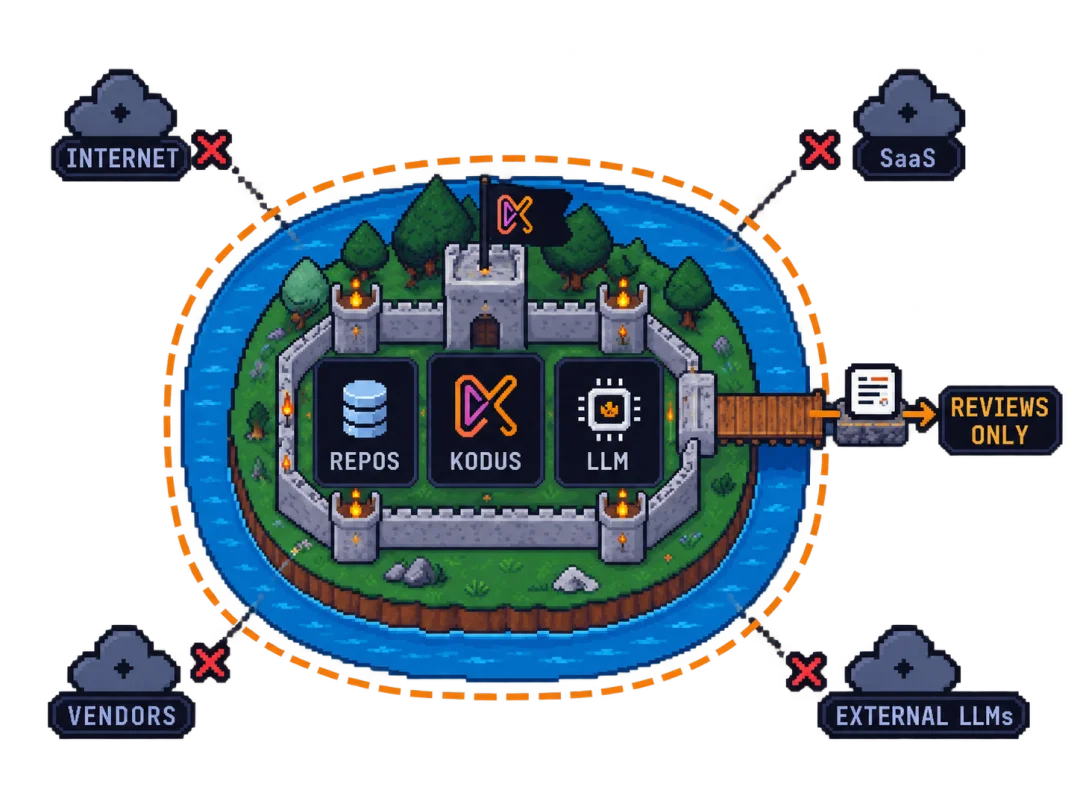
When you self-host Kodus, the web app, API, worker, webhooks and databases all run on your servers. The only code that leaves is what you send to your LLM provider, and that provider can be a model running inside your network.
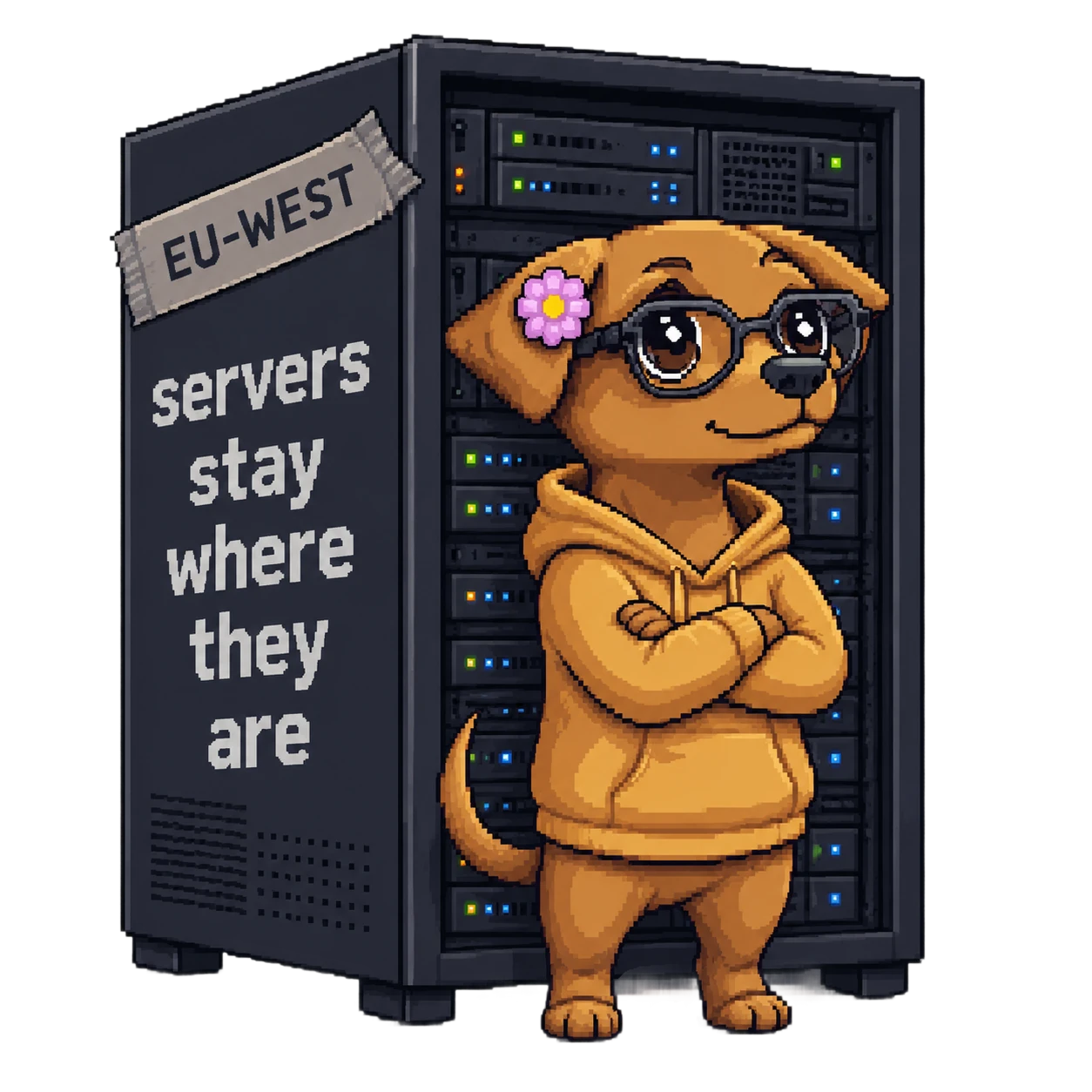
Webhooks arrive on your domain and Kodus reads diffs straight from your Git host. Review history and embeddings are stored in your own Postgres and MongoDB. Kodus, the company, never gets a copy.

Use OpenAI, Anthropic, Google or Groq with your own API key, or an OpenAI-compatible model you run yourself with vLLM, Ollama, TGI or LiteLLM. Kodus doesn't proxy those calls.

The containers running on your servers write the logs, so they go wherever you already collect container logs. Retention and access follow your own policy.

You can read, fork and audit the code. Docker images are pinned to tagged releases, so you upgrade when you decide to. Nothing in the product needs a Kodus server to keep running.
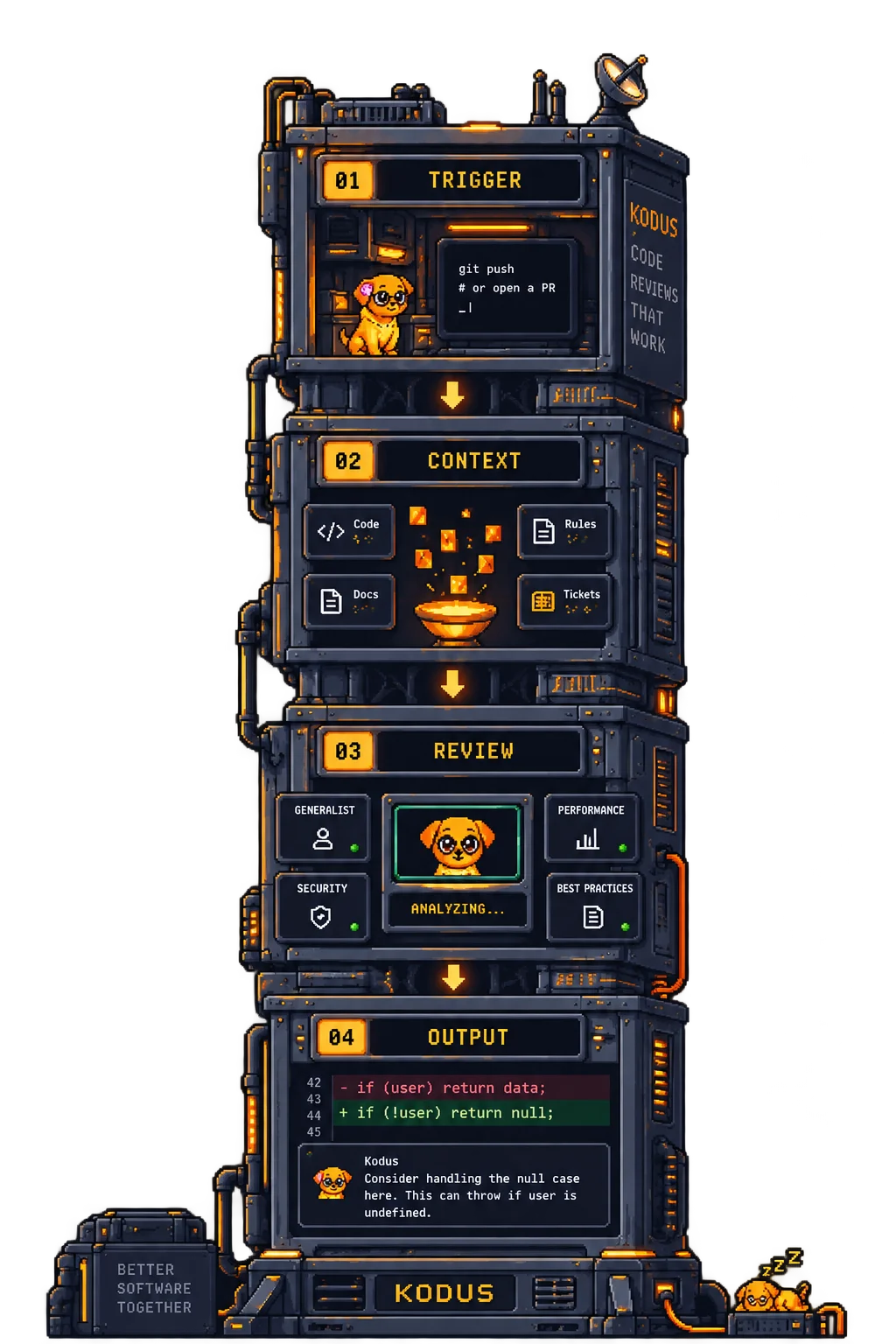
From a pull request to useful feedback, in four steps. All of it inside your network.
Kodus can run with no outbound internet access. There's no packaged air-gap installer yet, so you set it up in four steps.
Push the ghcr.io/kodustech/* images to your private registry and pin KODUS_VERSION in .env, so every deploy uses the same versions without reaching the internet.
Set API_OPENAI_FORCE_BASE_URL to an OpenAI-compatible server you operate, such as vLLM, Ollama, TGI or LiteLLM.
Connect GitHub Enterprise Server, GitLab Self-Managed or Bitbucket Data Center on the same network, so webhooks never cross the boundary.
Set KODUS_TELEMETRY_DISABLED=true. The anonymous daily heartbeat is the only outbound call Kodus makes by default.
Any provider with an OpenAI-compatible API. You set three variables in .env and Kodus calls that endpoint with your own key, so you pay the provider directly with no markup.
# Same 3 vars for every provider.
# Swap the base URL, swap the model, you are done.
API_OPENAI_FORCE_BASE_URL="https://api.openai.com/v1"
API_OPEN_AI_API_KEY="sk-..."
API_LLM_PROVIDER_MODEL=gpt-6-sol
# Claude keys go in the same variable.
# Kodus calls Anthropic through its native SDK.
API_OPENAI_FORCE_BASE_URL="https://api.anthropic.com/v1"
API_OPEN_AI_API_KEY="sk-ant-..."
API_LLM_PROVIDER_MODEL=claude-sonnet-5
# Gemini exposes an OpenAI-compatible endpoint.
API_OPENAI_FORCE_BASE_URL="https://generativelanguage.googleapis.com/v1beta/openai"
API_OPEN_AI_API_KEY="..."
API_LLM_PROVIDER_MODEL=gemini-3.8-flash
# Same 3 vars. Point at your own gateway.
# vLLM, Ollama, LiteLLM, TGI, any OpenAI-compatible server.
API_OPENAI_FORCE_BASE_URL="http://llm.internal.your-co/v1"
API_OPEN_AI_API_KEY="sk-local-anything"
API_LLM_PROVIDER_MODEL=your-local-model
The same three variables work for every provider. Only the base URL, key and model name change.
What each tool offers if you want to run AI code review on your own infrastructure. Checked against each vendor's docs and pricing pages in September 2026.
| Capability |  |
PR-Agent | Qodo | CodeRabbit | Greptile | SonarQube |
|---|---|---|---|---|---|---|
| Self-host | Free Community edition, any team size | Free | Enterprise plan | Enterprise, 500+ seats | Enterprise plan | Enterprise and Data Center editions |
| Open source | AGPLv3 | MIT | No | No | No | Community Build only, without AI CodeFix |
| Bring your own LLM | Any OpenAI-compatible API | Any LiteLLM provider | API keys, Enterprise only | OpenAI, Azure OpenAI, Bedrock | OpenAI-compatible APIs, Bedrock | Azure OpenAI, Bedrock, self-hosted gateway |
| Model running inside your network | vLLM, Ollama, TGI, LiteLLM | Ollama and others via LiteLLM | Not documented | Not documented | Custom base URL | Ollama, vLLM, LiteLLM |
| Air-gapped deployment | Possible, manual setup | Not documented | Enterprise | Not documented | Documented | With your own LLM |
| Self-managed Git hosts | GHES, GitLab Self-Managed, Bitbucket DC | GHES, GitLab, Bitbucket | GitHub, GitLab, Bitbucket, Gerrit | GHES, GitLab Self-Managed, Bitbucket DC | GitHub, GitLab, Bitbucket | GitHub, GitLab, Bitbucket DC |
| Azure DevOps | Yes | Yes | Yes | Yes | Coming soon | Yes |
| Web app for setup and review history | All editions | CLI and config files | Team and Enterprise plans | Settings UI | Not documented for self-hosted | Yes |
| SSO (SAML) | Enterprise | No | Enterprise, documented for cloud | Enterprise, not confirmed for self-hosted | Enterprise, documented for self-hosted | All editions |
| Role-based access control | Enterprise | No | Team and Enterprise plans | Enterprise | Admin and member roles | All editions |
| Audit logs | Enterprise | No | Enterprise | Enterprise | Not documented | Enterprise and above |
Teams whose code can't be sent to a third-party service. Most of them fall into one of these four groups.
 Financial services
Run Kodus in the network segment you already audit. Pair it with a model you host and code review adds no new third-party processor to your PCI-DSS report.
 Healthcare
Kodus runs on your HIPAA-covered infrastructure, so there is no review vendor in the loop. If you use a hosted LLM, that provider is the one to review.
Data residency
Deploy Kodus in the region where your data has to stay for GDPR or LGPD. Review history and embeddings are stored there and nowhere else.
 Proprietary code
Proprietary algorithms and unreleased features are reviewed on your own servers. Point Kodus at a model you run and nothing leaves the network.
The Community edition (AGPLv3) and Enterprise run on the same Docker stack. Enterprise adds SSO, role-based access and audit logs. The security docs and the telemetry policy have the details.
The code is on GitHub under AGPLv3, with tagged releases and security advisories published on the repo. Your security team can diff every upgrade.
API keys, LLM tokens, OAuth secrets and webhook signatures stay in your secret store. Kodus reads them at runtime inside your containers.
Works with Okta, Microsoft Entra, Google Workspace and any other SAML 2.0 identity provider.
Roles live in your database and scope access per repository, rule and analytics view.
Every workspace action is recorded with actor, target and timestamp, and can be forwarded to Datadog, Splunk, Loki or ELK.
Self-hosted AI code review means the tool that reviews your pull requests runs on infrastructure you control, on-prem or in your own cloud account, instead of on the vendor's servers. Your repositories, review history and LLM settings stay with you.
As of September 2026, Kodus (AGPLv3) and PR-Agent (MIT) are open source and free to self-host at any team size. Qodo, Greptile and CodeRabbit offer self-hosted deployments on their Enterprise plans, and CodeRabbit's requires at least 500 seats. SonarQube's AI CodeFix runs self-hosted on its Enterprise and Data Center editions.
Yes. The web app, API, worker, webhooks, RabbitMQ, Postgres (with pgvector) and MongoDB all run on your Docker host, installed with the kodus-installer repo. The code is AGPLv3, and the product doesn't need to call home to run.
Yes. Every self-hosted Kodus install is single-tenant: one deployment for your company, on your own servers, a VM or your own cloud account. Any host that runs Docker works, and Linux is recommended.
Yes. Kodus supports GitHub Enterprise Server, GitLab Self-Managed and Bitbucket Data Center, as well as GitHub, GitLab, Bitbucket and Azure DevOps in the cloud, and Forgejo or Gitea. Self-managed hosts use the same webhook signing and OAuth flows, so if your Git host is internal, the whole review runs inside your network.
Docker with the Compose plugin, a domain or fixed IP your Git host can send webhooks to, and a machine with at least 8 GB of RAM. For repositories over 100k lines of code, plan for 16 GB and give the worker container 4 to 8 GB of that. Default ports are 3000 (web), 3001 (API), 3332 (webhooks), 5432 (Postgres), 27017 (MongoDB) and 5672, 15672 and 15692 (RabbitMQ).
OpenAI, Anthropic, Google Gemini, Google Vertex AI, Novita, Groq, Cerebras, Together AI, Fireworks, Chutes, Moonshot (Kimi), Synthetic and Z.ai (GLM) are supported directly. Anything else with an OpenAI-compatible API works through API_OPENAI_FORCE_BASE_URL, including a vLLM, TGI or Ollama server inside your network.
Yes, with some setup on your side. Mirror the Docker images to a private registry, point Kodus at an OpenAI-compatible LLM inside your network and set KODUS_TELEMETRY_DISABLED=true. Kodus doesn't need outbound traffic to run. There's no packaged air-gap installer yet, so the mirroring is up to you.
Community is the AGPLv3 codebase: free, open source, and you can self-host it or use our cloud. Enterprise adds SSO, RBAC, audit logs and analytics under a commercial license, turned on with KODUS_LICENSE_KEY. Files marked .ee. in the repo are the Enterprise parts.
Kodus ships tagged releases on GitHub with pinned Docker images, selected with KODUS_VERSION. You roll a new tag out through your own change process, since there is no auto-update. Security advisories are published on the repo with CVE references.
An anonymous daily heartbeat with aggregate counters such as PRs reviewed, integrations enabled, uptime and Node version. It never includes source code, PR titles, identifiers or LLM traffic. You can inspect it with yarn telemetry:preview and turn it off with KODUS_TELEMETRY_DISABLED=true.
The production install uses the kodus-installer repo: clone it, fill in .env and run ./scripts/install.sh. The script generates secrets, creates the Docker networks, pulls the ghcr.io/kodustech/* images and waits for health checks. Plan 15 to 30 minutes for the first deployment and a few minutes for later ones.
Both are open source and free to self-host. PR-Agent is MIT-licensed and describes itself as a community-maintained legacy project of Qodo; it runs as a CLI, a GitHub Action or a webhook service. Kodus is AGPLv3 and includes a web app for configuration and review history, Kody Rules for your team's own review rules, and an optional hosted cloud if you'd rather not run it yourself.
CodeRabbit's self-hosted version is part of its Enterprise plan for teams of 500 or more seats, and it works with OpenAI, Azure OpenAI and Amazon Bedrock models. Kodus can be self-hosted for free at any team size under AGPLv3, and works with any OpenAI-compatible model, including one running inside your own network. The comparison table above covers other tools.
Clone the repo, fill in .env and start it with Docker Compose. A first production install usually takes 15 to 30 minutes.