7 Best SonarQube Alternatives in 2026 (Open Source + AI)
 Edvaldo Freitas

SonarQube is still one of the most popular tools for static code analysis, quality gates, and code quality governance. But many teams now look for SonarQube alternatives because they want less noise, faster feedback, better pull request integration, stronger security coverage, or AI-assisted review that fits more naturally into the developer workflow.
This guide compares 7 SonarQube alternatives in 2026 across code quality, security analysis, open-source options, AI review, pull request workflow, setup complexity, and best-fit use cases.
Best SonarQube alternatives by use case
If you are comparing SonarQube alternatives, the best option depends on whether your team needs pull request review, security analysis, custom rules, open-source flexibility, or a simpler developer workflow.
| Use case | Best option | Why it fits |
|---|---|---|
| AI-powered pull request review | Kodus | Reviews PRs directly, posts inline suggestions, supports custom rules, learns from team feedback, and can use repository and business context during review. |
| Deep security analysis in GitHub | GitHub CodeQL | Strong choice for GitHub teams that need semantic code analysis, custom queries, and vulnerability detection inside GitHub Advanced Security. |
| GitLab-native security workflow | GitLab SAST | Best fit for teams already using GitLab CI/CD and GitLab security dashboards who want findings inside merge requests. |
| Dependency and AppSec coverage | Snyk | Good option when the main priority is dependency risk, SAST, container scanning, IaC, and developer-friendly security workflows. |
| Custom static analysis rules | Semgrep | Works well for teams that want fast scans and custom rules that are easier to write and maintain than complex query languages. |
| Continuous code health and autofix | DeepSource | Useful for teams that want automated detection of bugs, anti-patterns, performance issues, and generated fixes. |
| Consolidated AppSec platform | Aikido Security | Fits teams that want SAST, SCA, secrets, IaC, containers, triage, and remediation in one developer-focused platform. |
How to choose a SonarQube alternative
The right SonarQube alternative depends on what your team wants to improve: code quality governance, pull request feedback, security coverage, custom rules, developer experience, or operational overhead. Before choosing a tool, compare the options across these criteria:
Code quality vs. security focus: Some tools are closer to SonarQube’s quality gate model, while others focus more on SAST, dependency risk, secrets, or AppSec workflows. Make sure the tool matches the problem you are actually trying to solve.
Pull request workflow: Check whether the tool comments directly on pull requests, runs in CI, works inside the IDE, or mainly reports findings in a dashboard. Feedback that arrives where developers already work is more likely to be used.
Custom rules and context: Look at how easily the team can define rules for architecture, security, naming, dependencies, or business logic. For larger codebases, repository context and cross-file behavior matter more than simple pattern matching.
Noise and prioritization: A replacement for SonarQube should reduce review load, not create another queue of low-value findings. Pay attention to false positives, severity controls, ignored paths, quality gates, and how the tool prioritizes issues.
Deployment and cost: Compare SaaS, self-hosted, open-source, enterprise, and BYOK options. The real cost is not just the subscription; it also includes setup, maintenance, token usage, infrastructure, and the time spent triaging findings.
List of SonarQube alternatives
Now let’s look at each alternative in more detail, including where it fits, how it compares with SonarQube, and what kind of team should consider it.
Kodus
Kodus is a SonarQube alternative for teams that want code quality feedback closer to the pull request review workflow. Instead of treating code quality mainly as a dashboard, ruleset, or quality gate, Kodus reviews PRs directly, posts inline suggestions, applies team-specific rules, and can use repository and business context during the review.
Where Kodus is different from SonarQube
Pull request review instead of only quality gates
- SonarQube: Is strongest when teams need static analysis, quality profiles, quality gates, security rules, and centralized code quality governance across projects.
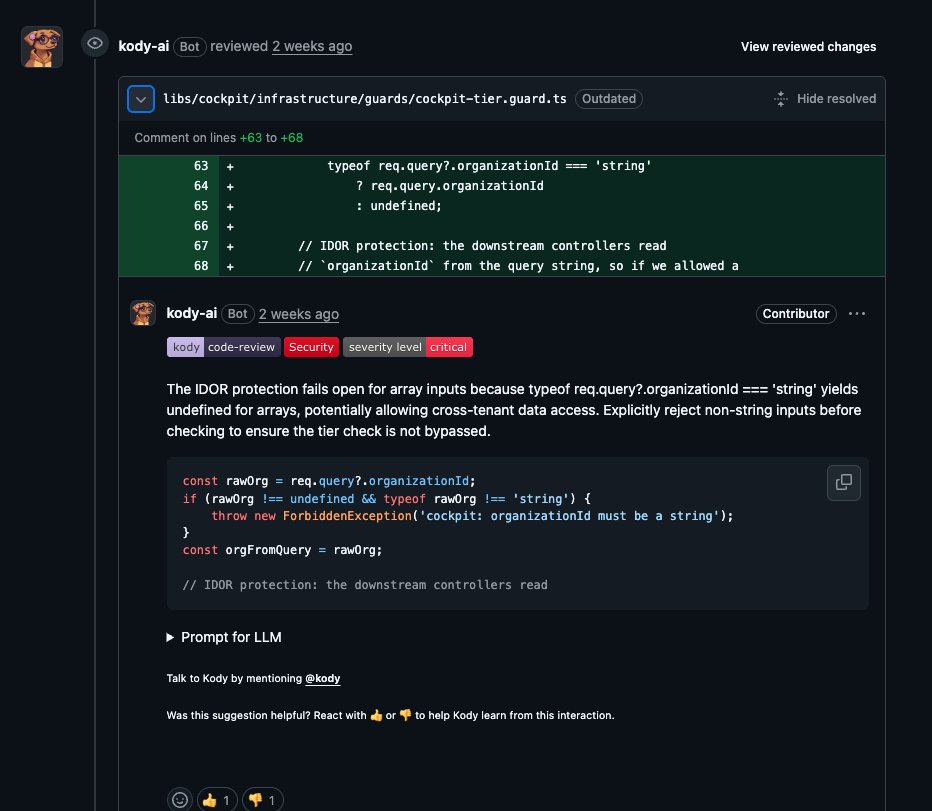
- Kodus: Focuses on the pull request itself. Kody reviews PRs automatically or on demand, collects the relevant diff and context, runs PR-level checks, filters and prioritizes suggestions, and posts inline comments directly in the review flow.
Custom rules with PR and repository context
- SonarQube: Lets teams manage rules through quality profiles and create custom rules from supported rule templates. This works well for enforcing standardized static analysis policies.
- Kodus: Lets teams create Kody Rules at file level or pull-request level. These rules can use PR metadata, complete PR diffs, file references, repository references, and MCP functions to validate standards that depend on team conventions, repository structure, or cross-file behavior.
Learning from team feedback
- Kodus: Uses team feedback to improve future suggestions. Kody learns from thumbs-up and thumbs-down reactions, implemented suggestions, and preference patterns, then filters out suggestions similar to ones the team previously rejected.
- SonarQube: Is more rules-and-profile driven. Teams tune results by managing rules, severities, quality profiles, issue statuses, and quality gates rather than by training the reviewer through PR-level feedback.
MCP for business context inside review
- Kodus: Uses MCP plugins inside Kody’s review workflow. Plugins can bring in external context from tools like Jira, Linear, Notion, Slack, Google Docs, or custom MCP servers. With business logic validation, Kody can compare the PR diff and metadata against linked specs, tickets, acceptance criteria, or inline requirements.
- SonarQube: Also has a SonarQube MCP Server. Its role is to let MCP clients retrieve information and perform actions through SonarQube Server or SonarQube Cloud, including analysis, issues, metrics, projects, quality gates, source code, security hotspots, and more. With Context Augmentation enabled, it can also expose architecture and call-flow context. The difference is that SonarQube MCP is centered on SonarQube’s analysis and governance data, while Kodus uses MCP as part of the PR review conversation and business-context validation flow.
Actionable suggestions and follow-up tracking
- Kodus: Posts inline comments with concrete suggestions and can track unimplemented suggestions through Kody Issues. When a PR is closed, Kody can create issues for suggestions that were not applied and automatically resolve them later if the fix appears in a future PR.
- SonarQube: Provides issue details, quality gates, IDE feedback, and AI-generated fix suggestions for selected rules in supported editions and languages. It is strong for issue management and governance, but the workflow is less centered on preserving skipped PR review suggestions as follow-up engineering work.
BYOK and model flexibility
- Kodus: Supports BYOK, so teams can use their own provider keys and choose the model that fits their cost, privacy, and performance needs. Kodus supports providers such as OpenAI, Anthropic, Google Gemini, and any OpenAI-compatible model provider, with no markup on token usage.
- SonarQube: Does not position itself as a BYOK AI review layer in the same way. SonarQube is centered on static analysis, rules, quality profiles, quality gates, and its own product ecosystem. AI-assisted features, where available, are tied to SonarSource’s supported setup rather than letting teams freely choose and manage their own LLM providers for PR review.
GitHub CodeQL
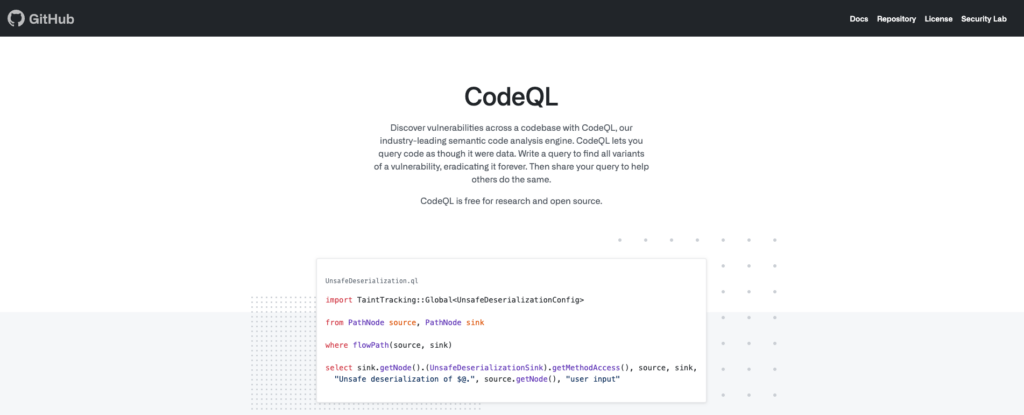
Originally a product called Semmle (acquired by GitHub), CodeQL is an incredibly powerful semantic code analysis engine. It treats your code as a queryable database. This allows you to write extremely precise, complex queries to find security vulnerabilities that other tools might miss.
It’s deeply integrated into the GitHub ecosystem as part of GitHub Advanced Security. If you’re already all-in on GitHub, it’s a natural choice.
The Tech Deep Dive:
- Query Language (QL): The heart of the tool. It’s a declarative, object-oriented language for querying code. It’s powerful but has a steep learning curve. You don’t have to write your own queries—GitHub provides hundreds—but customization requires expertise.
- Taint Tracking: It excels at “taint analysis”—tracking untrusted user input as it flows through the application to find vulnerabilities like SQL injection or XSS.
- Ecosystem Integration: Natively integrated with GitHub Actions for CI/CD scans and provides results directly in the “Security” tab of your repository.
Who is it for? Security-focused teams, especially those already paying for GitHub Enterprise. It’s a strong option for deep, custom vulnerability hunting, but it can be overkill for teams primarily focused on general code quality, maintainability, or pull request review. In that case, comparing it with broader AI code review tools can make the decision clearer.
GitLab SAST

If you live in GitLab, their built-in SAST (Static Application Security Testing) offering is the path of least resistance. It’s not a single tool but an aggregation of several open-source scanners, wrapped in a unified GitLab experience. For example, it might use `Brakeman` for Ruby on Rails, `spotbugs` for Java, and `bandit` for Python.
The main selling point isn’t that it’s the best scanner; it’s that it’s there. It’s part of the Ultimate/Gold tier and integrates seamlessly into the Merge Request workflow.
The Tech Deep Dive:
- Aggregator Model: Leverages a suite of well-known open-source tools under the hood. This means language support is broad, but the depth and quality of analysis can vary between languages.
- CI/CD Native: Enabled by adding a template to your `.gitlab-ci.yml` file. Results appear directly in the MR, providing a single pane of glass for all code review activities.
- Unified Security Dashboard: Findings from SAST, DAST, dependency scanning, and container scanning are all rolled into one central security dashboard in GitLab.
Who is it for? Teams already heavily invested in the GitLab ecosystem, especially those using GitLab’s paid security features. Its value is in its native integration and consolidation, not necessarily best-in-class analysis for every language or workflow. If the priority is improving review quality inside merge requests, it is also worth comparing dedicated GitLab code review tools.
Snyk
Snyk built its reputation on being the best-in-class tool for finding vulnerabilities in open-source dependencies (Software Composition Analysis, or SCA). They’ve since expanded that developer-friendly ethos into a full platform that includes their own SAST engine (Snyk Code), container scanning, and Infrastructure as Code (IaC) analysis.
Snyk’s key differentiator is its focus on developer experience. The CLI is excellent, the IDE integrations are top-notch, and the UI makes it easy to understand and prioritize vulnerabilities.
The Tech Deep Dive:
- Speed and Usability: Snyk Code is known for being incredibly fast. It delivers results in seconds, making it practical to run in the IDE on every save.
- Focus on Fixes: Snyk provides rich context about vulnerabilities and often suggests one-click upgrades for vulnerable dependencies.
- Comprehensive Security View: Its real power comes from combining SCA, SAST, and container scanning. You get a holistic view of your application’s security posture.
Who is it for? Teams that see security as a developer’s responsibility. If your biggest concern is open-source vulnerabilities but you also want a solid SAST tool with a great UX, Snyk is a top contender. If the team wants similar security coverage with a different workflow, pricing model, or code review experience, it is worth comparing a few Snyk alternatives before deciding.
DeepSource
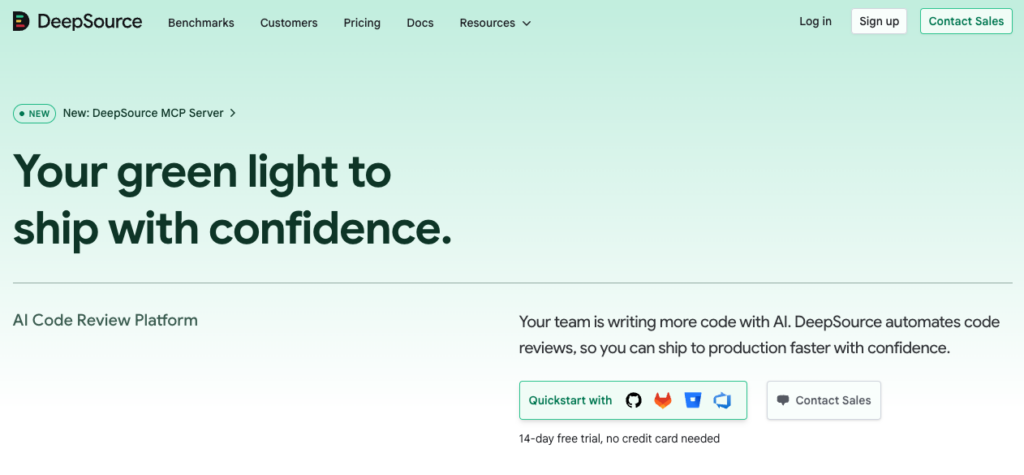
DeepSource is laser-focused on code health. It detects bugs, anti-patterns, and performance issues, but its headline feature is generating fixes for a huge number of them. Like Kodus, it aims to automate the boring parts of code review.
It runs continuous analysis on every commit and pull request, and its “Autofix” feature lets you create a new PR with the suggested changes applied automatically. It’s a huge time-saver for busy teams.
The Tech Deep Dive:
- Broad Issue Coverage: Detects issues across security, performance, anti-patterns, and bug risks. It also reports on test coverage gaps.
- Autofix™: Its core value proposition. For a large percentage of issues found, DeepSource can automatically generate the code to fix them.
- Low Configuration: Analyzes your `requirements.txt`, `pom.xml`, etc., to automatically configure the analysis, reducing setup overhead.
Who is it for? Engineering teams who want to automate away code quality nitpicks and focus their code review time on architectural and logic issues. If the idea of automatically fixing 50% of your linting issues sounds like a dream, check out DeepSource.
Semgrep
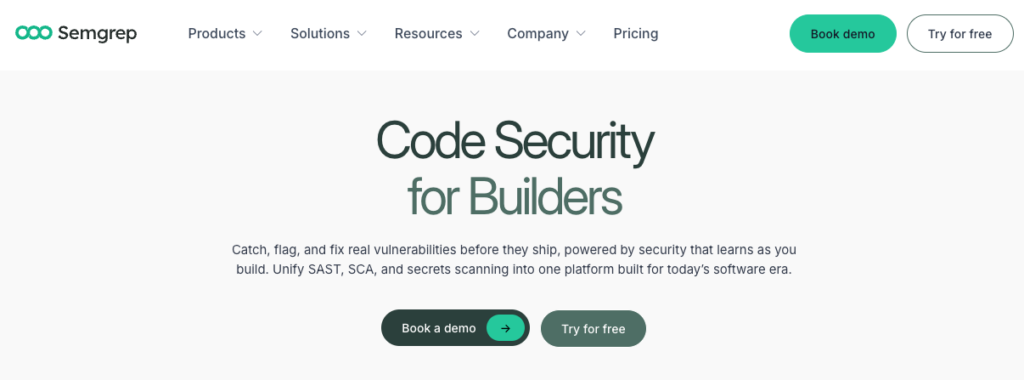
Semgrep strikes a fantastic balance between power and simplicity. It’s a fast, open-source static analysis tool that uses a simple, YAML-like syntax for its rules. This makes it incredibly easy for a team to write their own custom checks without learning a complex query language like CodeQL’s.
It’s beloved by security engineers and dev teams who want to enforce very specific, custom policies that are unique to their codebase or company.
The Tech Deep Dive:
- Simple Rule Syntax: Rules look like the code you’re trying to find. `if ($X == $Y)` is a valid pattern. This makes it approachable for any developer, not just security specialists.
- Speed: It’s lightning fast. You can run it as a pre-commit hook without a noticeable delay, which is something you can’t say for most other tools on this list.
- Rich Community and Registry: There’s a public registry with thousands of rules written by the community, covering everything from OWASP Top 10 security issues to framework-specific best practices.
Who is it for? Teams that want total control over their analysis rules. If you’ve ever said, “I wish I could just write a linter rule to ban this one function call,” Semgrep is for you. It’s the perfect tool for enforcing custom coding patterns and security policies.
Aikido Security

Aikido Security is a good option for teams that do not want to maintain several separate security tools and would rather keep everything in one platform developers can actually use day to day. Instead of focusing only on static analysis, Aikido combines SAST, SCA, secrets detection, IaC scanning, container scanning, and other checks in the same workflow.
That puts it in a slightly different position from other tools on this list. If SonarQube feels too focused on rules, dashboards, and governance, Aikido’s pitch is more direct: find the issues that matter, show them where developers already work, and help fix them without turning security into a separate process.
The technical details:
AppSec platform in one place: Aikido brings several scanners into a single experience, covering first-party code, open source dependencies, secrets, infrastructure as code, and container risks. For teams trying to reduce tool sprawl, that consolidation helps a lot.
Developer-focused workflow: it brings findings into pull requests, CI checks, and IDE integrations. That shortens the feedback loop compared with the classic model of running a scan and then tracking everything in a dashboard.
AutoFix and triage: Aikido focuses on actionable fixes, with inline guidance and AI-assisted fixes for some issues. It also tries to filter noisy findings before dumping scanner output on the team.
Custom rules and context: teams can define their own rules and add codebase context, which helps when internal security or engineering standards do not fit neatly into generic scanners.
Reachability and real risk: on the dependency side, Aikido looks at which vulnerabilities are actually reachable by the application. That helps reduce the backlog of alerts security tools are known for.
Who is it for? Teams that want broader application security coverage without stitching together a fragmented stack. If you are looking for a SonarQube alternative because you want less operational work, workflows closer to developers, and a platform that goes beyond static analysis, Aikido is worth a close look. Teams that want similar AppSec coverage with a different pricing model, review workflow, or level of code review depth should also compare Aikido alternatives.
Side-by-side comparison of SonarQube alternatives
After reviewing each tool in more detail, here is a side-by-side comparison of the main SonarQube alternatives by use case, workflow, strengths, and trade-offs.
| Tool | Best for | Main strength | Developer workflow | Watch out for |
|---|---|---|---|---|
| Kodus | Teams that want contextual AI code review directly inside pull requests | Combines AI review, custom rules, PR context, repository context, MCP plugins, and actionable suggestions | Inline PR comments, adaptive review behavior, concrete suggestions, and follow-up issues for skipped improvements | Best suited for teams that want to automate review, not just enforce static rules |
| GitHub CodeQL | Security-focused teams already using GitHub Advanced Security | Deep semantic analysis and custom queries for finding vulnerabilities | Native integration with GitHub Actions and GitHub’s Security tab | Excellent for deep vulnerability analysis, but it does not fully replace SonarQube’s role in quality metrics, maintainability, and code governance |
| GitLab SAST | Teams already standardized on GitLab | Built-in SAST with unified GitLab security dashboards | Runs through GitLab CI/CD and shows findings directly in merge requests | Analysis quality can vary depending on the underlying scanner used for each language |
| Snyk | Teams focused on application security and dependency risk | Strong SCA, fast SAST, container scanning, and developer-friendly security workflows | CLI, IDE plugins, PR checks, and security dashboards | More of a security platform than a general-purpose code quality tool |
| DeepSource | Teams that want continuous code health checks and autofixes | Detects bugs, anti-patterns, performance issues, and generates fixes for many findings | Continuous analysis on commits and pull requests, with Autofix PRs | Less focused on deep vulnerability research than tools like CodeQL or Snyk |
| Semgrep | Teams that want custom static analysis rules without heavy complexity | Fast scans and simple YAML-like rules that stay close to real code patterns | Works in CI, pre-commit hooks, and custom security workflows | Works very well for custom rules and specific policies, but requires team curation to avoid noise and does not provide the same built-in quality governance layer as SonarQube |
| Aikido Security | Teams that want to consolidate AppSec into one platform | Combines SAST, SCA, secrets detection, IaC, container scanning, and reachability context | PR checks, CI integration, IDE support, triage, and AI-assisted fixes | May not cover the same quality gate, metrics, and code governance model that some teams use in SonarQube |
FAQ
What is SonarQube used for?
SonarQube is used for automated code quality and security analysis. It scans source code for bugs, maintainability issues, vulnerabilities, and security hotspots, then applies quality gates to help teams decide whether code is ready to merge or release. It is commonly used in CI pipelines and pull request workflows when teams want to enforce consistent quality standards.
Is SonarQube free?
SonarQube does have a free option. SonarQube Community Build can be self-hosted at no license cost, while SonarQube Cloud offers Free, Team, and Enterprise plans, plus an OSS plan for qualifying open-source organizations. The main catch is that total cost can still grow with scale, infrastructure, maintenance, and admin overhead.
What is the best SonarQube alternative in 2026?
Kodus is one of the strongest SonarQube alternatives for teams that do most of their work in pull requests and want feedback that fits naturally into the review flow. Instead of focusing only on rules, metrics, and quality gates, Kodus reviews PRs directly, analyzes the diff with repository context, posts inline suggestions, and lets teams adapt review behavior to their own standards. It is also open source, model agnostic, and supports BYOK, which gives teams more control over cost, infrastructure, and model choice.
Is there an open-source alternative to SonarQube?
Yes. There are SonarQube alternatives with open-source components, self-hosting options, or more flexibility for building custom rules. Semgrep is a well-known option for teams that want developer-friendly static analysis and custom policy enforcement. Kodus also belongs in that conversation for teams looking for an open-source alternative that is more focused on AI-powered code review inside pull requests.
How is Kodus different from SonarQube?
SonarQube was built around static analysis, quality profiles, and quality gates. It works well when the goal is to standardize rules and enforce governance in CI. Kodus takes a different approach. It is more centered on pull request review, with contextual analysis, inline suggestions, customizable rules, and support for the standards teams already use. In practice, SonarQube is more rule-and-gate driven, while Kodus is more review-workflow driven.
Why do teams look for SonarQube alternatives?
Usually because they want less noise, better prioritization, and feedback that lives closer to the pull request workflow. SonarQube is strong for static analysis and quality gates, but it can feel heavier to manage and further removed from the way developers review code day to day.
Why do teams move from SonarQube to Kodus?
Teams usually start looking at Kodus when SonarQube begins to feel too heavy for everyday review work. SonarQube helps control new-code quality, but it does not always solve the adoption problem inside the developer workflow. Kodus tends to fit better when teams want actionable comments, less noise, better prioritization, and feedback that actually gets used during review.
Should I choose Kodus or a security-focused tool like Snyk or CodeQL?
It depends on the main problem you are trying to solve. If the goal is to improve day-to-day code review by combining quality, security, and context inside the pull request, Kodus makes more sense as the primary layer. If the top priority is deep vulnerability analysis, dependency security, or specialized security research, tools like Snyk and CodeQL still make sense in the stack. In many teams, the best setup is Kodus for daily review and specialized tools for deeper security coverage.