The best tools to automate the SDLC process in 2026
 Edvaldo Freitas
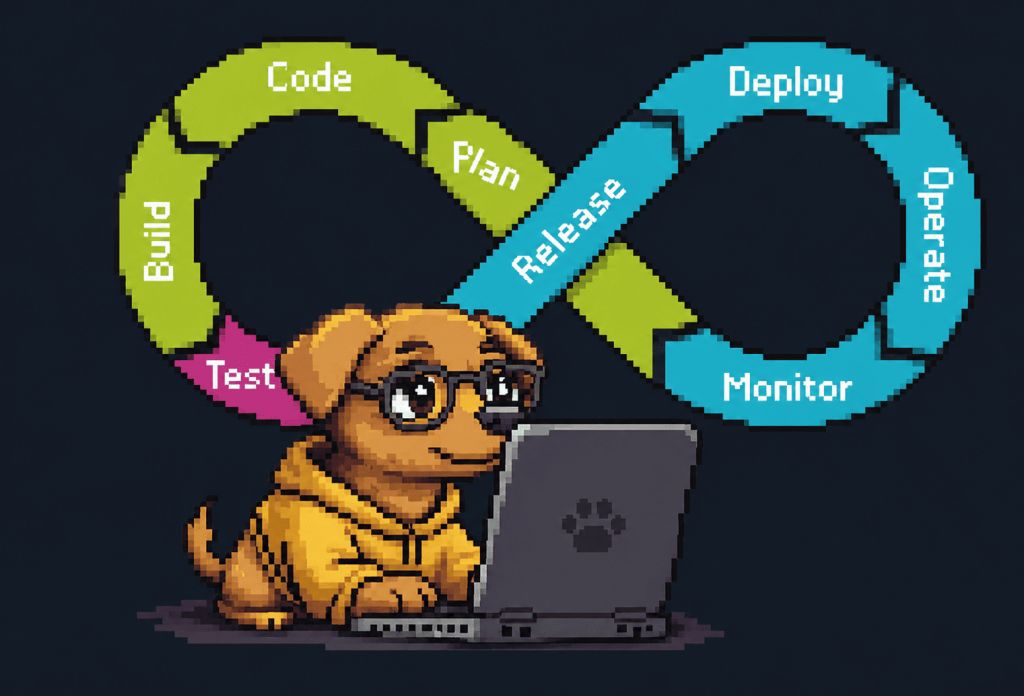
I’ve been noticing more teams looking for ways to reduce manual steps in the development lifecycle. They want consistency, and they want engineers building, not just dealing with processes. As teams grow, the software development lifecycle becomes too complex to manage manually. I put together 35 tools that help automate your SDLC process. Throughout the article, I show where each one fits in the flow, how they connect, and the trade-offs involved.
1. Planning and work management: Jira
This stage turns business needs into actionable engineering tasks. It helps create a shared understanding of what needs to be built, by whom, and in what order.
Without a central system, planning gets messy. Priorities are not clear, leading to duplicated work or teams moving in different directions. Meeting context gets lost in chat conversations. Engineering leaders cannot predict timelines accurately because the full scope of the work is not visible in one place.
How Jira helps
Jira is the system of record for development work. Its strength for growing teams comes from its structure: epics, stories, and tasks make it possible to break large projects into smaller parts. This hierarchy matters when you have hundreds of engineers, because it makes goals and dependencies clearer. Customizable workflows and sprint or Kanban boards help track progress visually.
Jira is more than a task board, it also helps teams coordinate. For example, you can set up automation rules so that when a pull request is opened in GitHub and mentions a Jira ticket, the ticket is automatically moved from “In progress” to “In review.” This small connection prevents developers from having to switch context just to update a ticket and keeps the board accurate for product managers.
Some alternatives to Jira and how they differ
Tools like Linear or Shortcut usually offer a better experience for individual developers. They are faster and less heavy. Jira’s strength, however, is its configurability and integrations. It adapts to complex organizational processes. That is also its biggest weakness. A poorly configured Jira instance makes people less productive, full of unnecessary fields and confusing workflows. Tip: The best teams keep Jira configurations simple.
Connection with the stage
Planning connects upstream with documentation tools like Confluence, where requirements live, and downstream with version control and CI/CD, linking tasks directly to code and deployments for full traceability.
2. Documentation and requirements: Confluence, Notion
This stage is about collecting and organizing project information, from requirements and architectural decisions to operational runbooks. It shows why a feature exists.
Without this, information gets scattered. Some of it stays in emails, chats, or isolated documents. Onboarding new engineers gets slower because they have to chase context from other people. Architecture decisions end up getting lost, which creates rework and differences in how code is written. In the end, a lot of things are built based on incomplete or outdated information.
How these tools help
Confluence: As part of the Atlassian suite, Confluence complements Jira by offering a place to document with more context. It works like a wiki, designed for longer-form content. Teams use it for product requirements, technical specifications, and architecture decision records (ADRs). This helps larger or distributed teams stay aligned without depending so much on meetings.
Notion: Notion is a flexible workspace that brings documents, databases, and project management together in the same place. Its block-based structure gives teams freedom to organize things in the way that makes the most sense, which is why it often works well for smaller teams that want to adapt everything to their own way of working, without too many rules.
Differences between Confluence and Notion
Confluence was designed to operate at scale, with deeper integrations into the Atlassian ecosystem and more defined admin controls. Notion is more flexible and usually works better for individual contributors, but it can get disorganized as the team grows if there are no clear rules. Confluence can feel more rigid, but that structure helps large teams maintain a single source of truth.
Both tools connect documentation to Jira tickets. They connect to the design stage by providing the requirements that guide prototypes, and to the development stage by providing the specifications engineers build against.
3. Design and prototyping: Figma
This stage takes requirements and turns them into an interface. It includes creating wireframes, mockups, and interactive prototypes to validate ideas before writing code.
When design handoff is manual, problems show up. Developers have to interpret static screens, which creates visual differences and rework. Without a shared design system, the interface starts to look different across each part of the product. Feedback takes longer to arrive, and engineers end up spending time adjusting CSS to make the code closer to the design.
How Figma helps
Figma is a collaborative, browser-based design platform that treats design as part of the development process. It helps automate things with:
- Component libraries: Teams maintain a single source of truth for UI components. When a designer updates a component in the library, the change is reflected everywhere, keeping the interface consistent. This prevents small differences from accumulating and making the UI messy.
- Dev Mode: This feature brings design and code closer together. Developers can inspect the layout to grab measurements, colors, and even code snippets for CSS, iOS, or Android. This helps keep the code aligned with the latest design changes.
- Prototyping: Designers can build interactive flows to collect feedback from stakeholders and users before there is even a running application.
Why is Figma the best option compared to competitors like Sketch or Adobe XD?
Figma’s main advantage over tools like Sketch or Adobe XD is its collaborative model and the fact that it works directly in the browser, even though it also has a desktop app. This reduces problems with files and versioning and makes the handoff from design to development much simpler.
How Figma connects with the rest of the flow
Figma connects to planning by allowing design files to be linked directly to Jira tickets. Dev Mode also brings design closer to development, giving engineers the specifications they need to implement the UI more accurately.
4. Development and IDE: Cursor, GitHub Copilot, Claude Code
This is the stage of writing, debugging, and testing code. The challenge is maintaining productivity and quality as the codebase grows.
Writing everything by hand involves a lot of repetition, like setting up the base code or creating test stubs. New developers may struggle with complex architectural patterns. Fixing bugs can be slow without some support, and constantly switching context to check documentation or ask for help breaks the work rhythm.
How these tools help
AI assistants integrated into the IDE can speed up the development process a lot.
- GitHub Copilot: A real-time autocomplete tool that suggests code snippets and functions as you type. It works well for setting up base code, API handlers, and unit tests. Its strength is the speed of inline suggestions.
- Cursor: An IDE built for AI, with context from the entire project. It works better for larger tasks, like refactoring a module across multiple files or generating new code that follows existing patterns in the project. Because it works with more context, it can suggest changes that are more aligned with the architecture.
- Claude Code (Anthropic): Often used for tasks that require more reasoning and multi-step changes. It can explain why a piece of code was written in a certain way, generate implementation suggestions, and propose a step-by-step path to migrate a legacy component to a new pattern. It works better for planned and more complex changes than for real-time autocomplete.
Differences between Cursor, GitHub Copilot, and Claude Code
These tools can be used together. Many teams use GitHub Copilot for speed in day-to-day coding and turn to Cursor or tools like Claude for more complex refactors or architectural changes.
The limitation is that any AI assistant can generate incorrect or insecure code, so human review is still necessary. There is also the risk of it becoming a crutch, with more junior engineers committing code they do not fully understand.
How this connects with the rest of the flow
These tools accelerate the central development stage. The code they help generate is committed to version control, which triggers the code review and CI/CD flow.
5. Version control: GitHub, GitLab, Bitbucket, Azure DevOps
Version control systems manage changes to source code and allow multiple people to work at the same time without stepping on each other.
Without this, you risk losing code, running into collaboration issues, and being unable to trace changes back to a requirement or bug. The team starts overwriting each other’s work, and it becomes hard to understand how the code reached its current state.
How these tools help
These platforms go beyond hosting Git repositories. They act as collaboration hubs around the pull request workflow.
- GitHub: GitHub is practically the industry standard, largely because of its community and integrations marketplace. GitHub Actions also plays an important role, handling CI/CD well.
- GitLab: An all-in-one DevOps platform that brings together source code management, CI/CD, security scanning, and a container registry in a single application. Because everything is integrated, pipelines are easier to configure and maintain, with clear visibility into each stage (build, test, deploy). The self-hosted option gives teams more control over infrastructure and costs.
- Bitbucket: Bitbucket is a good choice for teams already in the Atlassian ecosystem. Its integration with Jira allows you to see ticket information directly in branches and pull requests, reducing context switching. It also offers native CI/CD pipelines and a permission model well integrated with the rest of Atlassian tools.
- Azure DevOps: Azure DevOps offers a full set of Microsoft tools and is especially used by teams working with .NET and the Microsoft Azure cloud.
Main differences
The choice usually depends on the ecosystem your team is in. If your team is heavily invested in GitHub, Actions is a strong choice. If you prefer an all-in-one platform with predictable costs, GitLab is a good option. If you live in Jira, Bitbucket’s integration is a major benefit. Azure DevOps is the standard for Microsoft-based teams. One important point is CI/CD runner cost. GitHub Actions charges per minute for hosted runners, which can get expensive, while GitLab’s self-hosted runners offer more predictable costs.
How this connects with the rest of the flow
Version control is the foundation of an automated SDLC. It is where development code is stored. From there, CI/CD pipelines are triggered, review and security tools analyze the code, and artifacts are generated for packaging and deployment.
6. Code review: Kodus, Cursor Bugbot
This stage ensures the code follows standards and does not introduce issues. It is also when the team shares context and learns together before merge.
Manual code review often becomes a bottleneck. Senior engineers spend a lot of time going through PR after PR. Reviews are often inconsistent, depending on who is doing them. In large changes, it is easy to miss subtle bugs or architectural deviations due to lack of context.
How Kodus provides a better review process
While simpler tools like Cursor Bugbot can offer isolated suggestions, they often lack project-specific context to be truly useful. This is where Kodus performs better than Bugbot. It provides AI-powered code reviews that understand your project’s architecture, conventions, and requirements.
Here is what makes it different in practice:
- Project-specific context: Kodus allows you to teach your AI, Kody, about your project using Memories. You can give instructions like:
@kody remember: this project uses hexagonal architecture. The domain layer must never depend on the infrastructure layer.This helps the AI understand your project so its suggestions are relevant and do not violate core principles. - Configurable review rules: You can create custom rules that go beyond simple linting. These rules can access contextual variables like
fileDifforpr_descriptionand reference other files in the repository. For example, you can write a rule that checks whether a change in a service file also includes a corresponding change in a test file, or validate whether a controller follows the pattern defined in@file:src/shared/base-controller.ts. This applies architectural rules automatically. - External context via plugins: A code change is more than just a diff. It is linked to a Jira ticket, discussed in Slack, and documented in Confluence. Kodus MCP plugins can connect to these external tools to give Kody a full picture. It can check whether PR changes match the requirements in the linked Jira ticket, making reviews more meaningful.
Cursor Bugbot and similar tools are useful for catching simple errors but operate with limited context. Kodus acts more like a senior engineer on the team, someone who understands not just the code, but the system architecture and the context behind the change.
How this stage connects to the SDLC
Code review is the key gate between development and testing. It integrates with version control to be triggered on pull requests and provides feedback that prevents bugs from moving forward in the pipeline.
7. Testing: Playwright, Cypress
This stage verifies that the software works as expected, using unit, integration, and end-to-end (E2E) tests.
Without test automation, feedback takes too long. Bugs are found late, making them more expensive to fix. Manual testing cannot cover all edge cases, and new features often break existing functionality without anyone noticing, causing regressions. Release cycles get blocked waiting for manual QA.
How these tools help
Playwright and Cypress are E2E testing frameworks that automate browser interactions.
- Playwright: A Microsoft framework that supports testing across all major browsers (Chromium, Firefox, WebKit) with a single API. It runs tests in parallel by default, making it very fast for large test suites. Its Trace Viewer provides a strong visual tool for debugging failed tests.
- Cypress: Known for its strong developer experience. It runs directly in the browser, offering features like time travel debugging and automatic reloads that make writing and debugging tests faster.
Main differences
The main choice is between Playwright’s cross-browser support and performance versus Cypress’s developer experience. If you need to test on Safari or Firefox, Playwright is the better option. If your team focuses on quickly writing tests mainly for Chromium-based browsers, Cypress’s debugging tools are a big advantage. E2E tests are known to be flaky, but Playwright’s auto-waiting mechanisms tend to be more reliable by default.
Connection with the stage
Automated tests are triggered by CI/CD pipelines after a code commit. Results are reported back to the pull request in the version control system, acting as another quality gate before merge.
8. Security validation: Snyk, SonarQube, Beagle Security
This stage identifies and reduces security vulnerabilities and quality issues early in the cycle.
Without automated checks, vulnerabilities in dependencies accumulate and become more expensive to fix later. Code quality also tends to degrade over time, making the system harder to maintain. The security team becomes a bottleneck, and releases get delayed.
How these tools help
Snyk, SonarQube and Beagle Security work together to handle different aspects of security and quality.
- Snyk: Focuses on Software Composition Analysis (SCA). It scans your dependencies for vulnerabilities. Its main feature is automated fixes. When Snyk finds a vulnerability, it can often automatically create a pull request to update the dependency to a fixed version. It also scans container images and infrastructure-as-code files.
- SonarQube: A Static Application Security Testing (SAST) tool that analyzes your own code for bugs, code smells, and security vulnerabilities. It defines “quality gates” in your CI pipeline, for example, blocking a merge if code coverage drops or if new code introduces a critical security issue.
- Beagle Security: focuses on agentic AI penetration testing for web applications and APIs. In practice, it helps teams test the running application and simulate real attacks without always relying on expensive, time-consuming manual pentests.
- The tool covers web applications, REST APIs, GraphQL APIs, and internal applications, helping teams find vulnerabilities before attackers do. It can also be integrated into CI/CD, so security tests become part of the build or deployment process instead of a separate step at the end.
- For teams with compliance requirements, Beagle Security also generates reports aligned with standards like OWASP, HIPAA, PCI DSS, ISO 27001, and SOC 2.
Differences and trade-offs
Think of it this way: Snyk protects you from vulnerabilities in code you did not write, namely your dependencies. SonarQube helps improve the quality and security of the code you wrote. Beagle Security tests the running application from an attacker’s perspective, using agentic AI to simulate real attacks and show what could actually be exploited in web applications and APIs.
Connection with the stage
These tools integrate directly into the CI/CD pipeline and provide feedback on pull requests, builds, or deployments. They shift security and quality checks left, catching dependency vulnerabilities, code-level issues, and exploitable application risks earlier in the development cycle instead of waiting until after deployment.
9. Pipeline automation: GitHub Actions, GitLab CI/CD, Jenkins
This stage automates the path from commit to deployment, ensuring every change goes through the same build and testing process.
Manual builds and deployments are slow and error-prone. Environment differences lead to the classic “it works on my machine.” And a mistake during a manual deployment can cause downtime.
How these tools help
These CI/CD platforms manage the build, test, and deployment process.
- GitHub Actions: Strongly integrated with GitHub, with a large marketplace of ready-to-use actions for common tasks. It uses a simple YAML syntax to define workflows.
- GitLab CI/CD: Integrated into the GitLab platform, offering a consistent experience. Its support for self-hosted runners provides more control over cost and execution environment.
- Jenkins: A highly flexible open-source automation server. It can be customized to handle almost any workflow, but it also requires more setup and maintenance.
Differences between them
The GitHub Actions stands out for ease of use and ecosystem. The GitLab CI/CD works well for teams that want a more integrated platform with more predictable costs. Jenkins is typically used in more complex or legacy environments where you need full control. The main trade-off with Jenkins is maintenance. It can turn into a server full of custom configurations that only one person on the team knows how to manage.
Connection with the stage
The CI/CD pipeline is what moves the automated SDLC. It starts from commits in version control, pulls the code, runs tests, executes security checks, generates artifacts like Docker images, and prepares everything for deployment.
10. Packaging: Docker
This stage standardizes how an application and its dependencies are packaged so that it runs consistently anywhere.
Without a standard packaging format, you run into environment inconsistencies. The application works on a developer’s machine but fails in staging due to a missing library or a different dependency version. Setting up new environments for testing becomes a slow and manual process.
How Docker helps
Docker containerizes applications by bundling code, runtime, libraries, and configuration into a single isolated package called an image. This image is lightweight, portable, and runs the same way on a developer’s laptop, in the CI pipeline, and in production. It solves the “it works on my machine” problem once and for all. For microservices, each service can be packaged into its own container, enabling independent development and deployment.
Connection with the stage
Docker images are the artifacts produced by the CI/CD pipeline. These images are then stored in a container registry and used by orchestration tools like Kubernetes for deployment.
11. Infrastructure provisioning: Terraform, Pulumi
This stage defines and manages infrastructure, servers, databases, and networks as code, making environments consistent and repeatable.
Manually managed infrastructure leads to configuration drift, where environments diverge over time, making debugging harder. Provisioning new environments is slow and error-prone. There is no audit trail of who changed what.
How these tools help
Infrastructure as Code (IaC) tools let you define infrastructure in configuration files stored in version control.
- Terraform: Uses a declarative domain-specific language (HCL) to define infrastructure resources. It has a large ecosystem of providers for all major cloud platforms and services.
- Pulumi: Lets you define infrastructure using general-purpose programming languages like Python, TypeScript, or Go. This allows developers to use familiar tools and languages to manage infrastructure.
Differences between Terraform and Pulumi
Terraform’s HCL is easy to learn for defining resources but can feel limiting for complex logic. Pulumi’s use of real programming languages offers more flexibility and allows code reuse, which can be a big advantage for teams that want to build standardized, reusable infrastructure components. The choice usually depends on team preference: ops-focused teams may prefer Terraform’s declarative simplicity, while development-focused teams may prefer Pulumi’s programmability.
Connection with the stage
IaC definitions are stored in version control. The CI/CD pipeline runs Terraform or Pulumi to provision or update the infrastructure needed to deploy the application.
12. Deployment and orchestration: Kubernetes, Argo CD
This stage manages the deployment, scaling, and execution of containerized applications. It ensures they are highly available and resilient.
Manually deploying and managing applications at scale is not practical. It leads to downtime during updates, wasted resources due to over-provisioning, and lack of ways to respond quickly to traffic spikes. Rolling back a failed deployment becomes a stressful manual process.
How these tools help
- Kubernetes: The industry-standard container orchestrator. It automates deployment, scaling, and management of containerized applications, abstracting the underlying servers. It handles tasks like load balancing, service discovery, and self-healing.
- Argo CD: A continuous delivery tool that implements the GitOps pattern for Kubernetes. With GitOps, your Git repository is the single source of truth for your application’s desired state. Argo CD continuously monitors the repository and the Kubernetes cluster, automatically syncing any differences.
Differences and trade-offs
Kubernetes is very powerful but also very complex. Managing it requires specialized knowledge. Argo CD simplifies the deployment side of Kubernetes. It makes deployments auditable, every change is a Git commit, easy to roll back, just revert the commit, and less prone to human error.
Connection with the stage
This stage receives Docker images from the packaging stage and infrastructure provisioned by IaC tools. Argo CD pulls application configurations from version control and deploys them into Kubernetes. This stage connects to feature flags to control releases and to observability tools to monitor running applications.
13. Feature flags and release management: LaunchDarkly, Unleash, Split
This stage separates code deployment from feature release. You can ship code to production and control who sees the change, gradually rolling it out with more safety.
“Big bang” releases are risky. If a feature has an issue, it can affect the entire application. Rolling back requires a new deployment, which can cause downtime. It is also hard to test a feature with a small group of users before rolling it out to everyone.
How these tools help
Feature flag platforms allow you to wrap new features in conditional logic that can be controlled remotely without changing the code.
- LaunchDarkly: A platform with strong segmentation capabilities. You can release a feature to 5% of users, only to a specific country, or just to internal employees.
- Unleash: An open-source alternative that can be self-hosted, giving more control over your data and infrastructure.
- Split: Combines feature flags with strong A/B testing and experimentation features, making it a good choice for product-driven teams.
Main differences
The choice between tools like LaunchDarkly and open-source options like Unleash usually depends on budget, team size, and the need for advanced segmentation features. One main challenge with feature flags is managing their lifecycle. Without proper governance, you can end up with hundreds of old, forgotten flags in the codebase, which creates technical debt.
Connection with the stage
Feature flags are implemented during development and deployed along with the code. They work together with deployment tools and are monitored by observability and analytics tools to measure impact and the health of the new feature.
14. Observability and monitoring: Datadog, Sentry, Prometheus, Grafana
This stage provides visibility into the health and performance of your applications and infrastructure, helping you detect and diagnose issues quickly.
Without good observability, you are in the dark. Problems go unnoticed until users complain. When an incident happens, engineers spend hours trying to find the root cause because they lack the necessary data.
How these tools help
- Datadog: An all-in-one SaaS platform that brings together logs, metrics, and traces in a single place. This makes it easier to correlate different types of data during an incident.
- Sentry: Focuses on application error tracking. It captures every unhandled exception and provides developers with the full stack trace and context needed to fix the bug.
- Prometheus + Grafana: A popular open-source stack for collecting metrics (Prometheus) and visualizing them in dashboards (Grafana). It is very flexible and cost-effective but requires more effort to maintain.
Differences
Datadog offers a strong integrated experience but can be expensive. Sentry is excellent for error monitoring but needs to be combined with other tools for full observability. The Prometheus and Grafana stack is a great open-source option for teams comfortable managing their own infrastructure.
Connection with the stage
Observability tools collect data from applications and infrastructure running in production. They provide the real-time feedback loop that informs all other stages, showing whether a deployment was successful, how a new feature is performing, and where the next development effort should focus.
15. Feedback and analytics: Amplitude, Mixpanel, PostHog
This stage helps you understand how users interact with your product. It collects and analyzes user behavior data to measure feature adoption and make decisions based on that data.
Without product analytics, you build features based on intuition instead of data. You do not know if anyone is using the feature you spent weeks building. You cannot identify where users are getting stuck in your application or why they are leaving.
How these tools help
These platforms capture user events and provide tools to analyze them.
- Amplitude: A product analytics platform better suited for understanding user behavior at scale. It is great for building complex cohorts and analyzing user journeys.
- Mixpanel: Focuses on real-time analytics and user engagement, with strong features for visualizing user flows.
- PostHog: An open-source product analytics platform that lets you track how users interact with your product, create events, funnels, and sessions, as well as run experiments and manage feature flags.
Main differences
The choice between Amplitude, Mixpanel, and PostHog mainly comes down to three factors: depth of analysis, ease of use, and control over data.
Amplitude is more focused on deep analysis and complex journeys.
Mixpanel is easier to use and focused on quick answers for day-to-day needs.
PostHog combines analytics with feature flags and experimentation, and can be self-hosted, giving more control over data.
In the end, the choice depends on the level of analysis you need and the level of control you want over your data.
Regardless of the tool, a well-defined event schema is what makes the biggest difference.
Connection with the stage
Product analytics closes the SDLC loop. It collects data from production and feeds it back into planning, helping decide what comes next. It also integrates with feature flags to measure the business impact of new releases.
FAQ
What is SDLC?
SDLC (Software Development Lifecycle) is the lifecycle of software development. It describes all the stages a system goes through, from the initial idea to production usage and continuous improvement. This includes planning, requirements definition, design, development, testing, deployment, monitoring, and learning from real product usage.
Why should engineering teams automate the SDLC?
Automation helps maintain consistency as the team grows. It reduces manual handoffs, surfaces problems earlier, and provides faster feedback to developers. The goal is not to remove people from the process, but to remove repetitive work so engineers can focus on what actually requires judgment.
Which parts of the SDLC should be automated first?
It usually makes sense to start with the biggest bottlenecks: CI/CD, testing, code review, and security. These stages have a direct impact on day-to-day work because every pull request depends on them.
How can AI help optimize software performance throughout the SDLC?
AI can identify performance issues earlier in the cycle. During development and code review, it can point out inefficient patterns like heavy queries or excessive resource usage. In CI/CD, it helps detect regressions between builds. In production, it analyzes logs and metrics to find bottlenecks. In the end, it acts as a continuous signal, but the final decision still depends on system context.
How to improve the SDLC process?
Improving the SDLC starts by identifying where the flow breaks. Some common points:
- Reduce pull request size to make review easier
- Automate tests, lint, and security checks in CI
- Ensure all code goes through code review with clear criteria, you can use Kodus for this.
- Connect tools (for example: tickets, PRs, and deployments) to avoid context loss
- Measure metrics like lead time, time to first review, and failure rate
- Use feature flags to reduce risk in releases
- Create feedback loops with observability and analytics