The 10 Best Graphite Alternatives in 2026 (Open Source + Self-Hosted)
 Edvaldo Freitas

Graphite earned a following among engineering teams with its stacked diffs approach and a faster, more iterative review flow. But as a team’s needs change, looking for a Graphite alternative can make sense, especially once the priority shifts toward more control over review, code context, and customization.
A good AI code review tool needs to do more than comment on pull requests. It needs to understand the context of the change, account for the team’s technical standards, and fit into the existing development process. That’s why, when comparing alternatives, it’s worth looking past the basic feature list and checking how each tool handles repository context, custom rules, model choice, and deployment options.
TL;DR
- This article compares 10 Graphite alternatives for AI code review in 2026: Kodus, CodeRabbit, Qodo, Bito, GitHub Copilot Code Review, CodeAnt AI, Snyk Code, Sourcery, Cursor BugBot, and Greptile, looking at features, pricing, level of customization, code context, Git platform integration, and deployment options, all revalidated straight from the source.
- Kodus stands out for open source AI code review and governance: it combines Kody Rules, BYOK on every plan, and self-hosting, with support for GitHub, GitLab, Bitbucket, Azure DevOps, and Forgejo, letting the team define review policy in natural language by organization, repository, or directory, and choose which AI model to run.
- The main difference between Graphite and Kodus is where each one focuses: Graphite combines AI code review, stacked pull requests, and a merge queue. Kodus puts its features into review quality, customization, and governance, but it doesn’t replace stacked PR management.
Updated on: October 16, 2026
Why look for a Graphite alternative
Graphite was built to make working with pull requests easier, mainly through stacked diffs, its own review interface, and automation tools. The platform also has AI Reviews, which analyzes changes and produces AI feedback. Even so, there are cases where another tool is a better fit.
| Reason | Where Graphite falls short |
|---|---|
| Support for other Git platforms | Centered on the GitHub ecosystem; no native integration with GitLab, Bitbucket, or Azure DevOps |
| Control over AI model and cost | AI Reviews runs inside the plan, but without BYOK: you can’t connect your own provider key or manage token spend directly |
| Governance and review rules | Has custom rules by file, but no policy organized across levels (global, per service, per severity) for teams with many repositories |
| Self-hosting and security requirements | No public self-hosted offering; code always runs through Graphite’s SaaS |
10 Graphite alternatives
We looked at these tools based on the code review flow, how they work with the most common version control systems, ease of use, and cost. The core idea is practical use for engineering teams.
| Tool | Best for | Main point |
|---|---|---|
| Kodus | Teams that want more control over reviews, rules, and repository context | Open source, natural-language rules, BYOK, plugins, and broad SCM support |
| CodeRabbit | Teams that want to add AI code review to the PR flow quickly | Good pull request experience and simple adoption |
| Qodo | Teams with larger codebases that want review with more context | Broader codebase analysis and a structured review flow |
| Bito | Teams that want review alongside broader engineering assistance | PR, IDE, and CLI review with broader system awareness |
| GitHub Copilot Code Review | GitHub-only teams that already use Copilot | Native review inside the GitHub ecosystem |
| CodeAnt AI | Teams that want to combine code review, quality, and AppSec | Review with full codebase context inside a larger stack |
| Snyk Code | Teams that treat review mainly as a security gate | PR checks and findings focused on risk and vulnerabilities |
| Sourcery | Teams that want fast review with auto-approval of low-risk PRs | PR summaries, directly applicable fix suggestions, and scheduled security scans |
| Cursor BugBot | Teams already living in the Cursor ecosystem (same owner as Graphite) | Simple, fast review inside the Cursor workflow |
| Greptile | Teams with larger repositories that want review with more code context | Expanded repository reading and additional review context |
1. Kodus: best for open source AI code review and governance
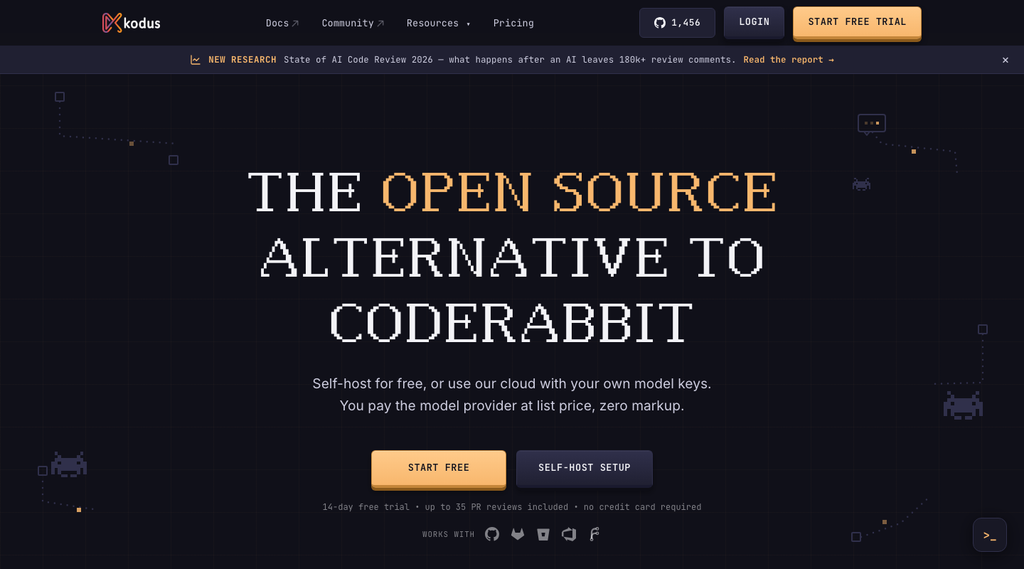
Kodus is an open source AI code review platform (check out the code on GitHub) for teams that need to standardize review instead of relying only on manual review. Kody analyzes pull requests considering repository context and rules the team defines, across GitHub, GitLab, Bitbucket, Azure DevOps, and Forgejo. Unlike Graphite, which bundles several stages of the pull request flow, Kodus focuses its features on review quality and on how the AI reads the code.
Key features
| Feature | What it does |
|---|---|
| Kody Rules | Natural-language rules to enforce coding standards, architecture, and security. Configurable globally, by repository, or by directory, with inheritance across levels; you can set severity, write rules for a single file or for the whole PR, and the AI suggests new rules from your review history |
| Codebase context | Analyzes the change considering not just the diff but related files, dependencies, and repository structure; you can link additional repositories to check contracts and integrations between services |
| BYOK | Connects your own API key and lets you choose the provider and model per task, repository, or agent, with fallback to another model when needed |
| Self-hosting | Runs on your own infrastructure via Docker or Kubernetes |
| Suggestion controls | Configurable minimum severity and a cap on suggestions per review, so critical bugs get priority instead of filling the PR with low-priority comments |
| MCP plugins | Lets you bring in context from tickets, specs, and external tools |
| Cockpit | Metrics dashboard for the review process: PR size, deploy frequency, lead time, and implemented Kody suggestions |
Why choose Kodus over Graphite
A common problem on larger teams is keeping technical decisions consistent across developers and repositories. Say the company decided every payment operation needs to emit an audit event. That might be documented somewhere, but documentation doesn’t guarantee every developer remembers it when they’re implementing. With Kody Rules (see the rule configuration docs), that guidance becomes a review rule, with scope and severity defined, instead of depending on whoever is writing the code to remember it.
Things to watch out for
- No stacked PR management or merge queue like Graphite; teams that depend on that need to keep Graphite (or another stacking tool) running alongside it.
- More advanced rule, model, and integration setup takes some upfront work.
- Teams using BYOK need to track their own model usage cost.
Pricing
| Plan | Price |
|---|---|
| Community | Free |
| Teams | $10/dev/month + tokens via BYOK |
| Enterprise | Custom |
Best for: engineering teams that need AI code review with governance, custom rules, BYOK, and infrastructure control.
2. CodeRabbit: best for automating PR review
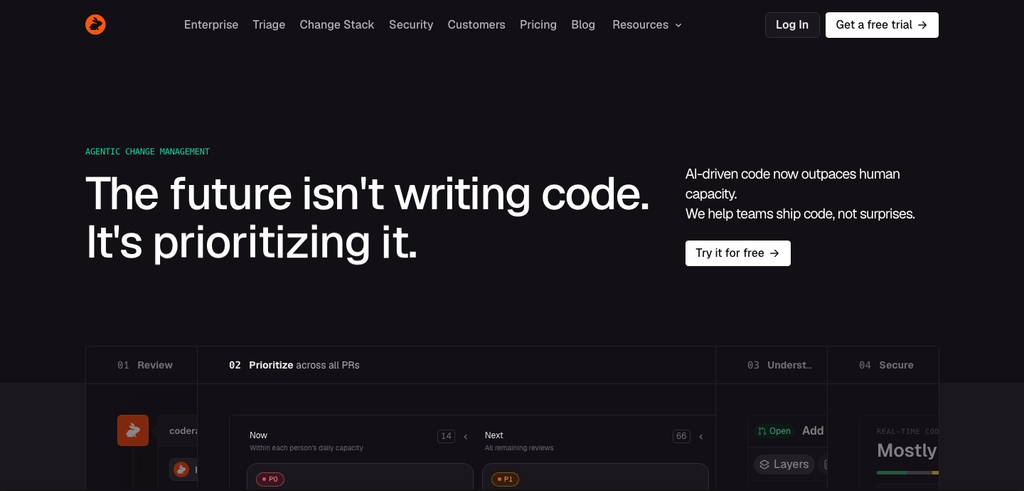
CodeRabbit is an AI reviewer that plugs into the pull request flow: it analyzes the change, generates a summary, flags issues, and comments directly on the relevant line of code. For teams that want to leave Graphite without adopting stacked PRs, it’s a practical option.
Key features
| Feature | What it does |
|---|---|
| Automatic summary | Of the pull request |
| Inline comments | With improvement suggestions |
| Custom instructions | By repository and by path |
| Platforms | GitHub, GitLab, Bitbucket, Azure DevOps |
Why choose CodeRabbit over Graphite
Worth it when the goal is automating the first pass of review without changing how the team creates and organizes pull requests. It has customization and integration options to pull in extra information, but teams that need direct control over the AI provider and infrastructure should compare it against Kodus’s BYOK and self-hosting (see our complete guide to CodeRabbit alternatives).
Things to watch out for
- It’s more of a PR bot than a review system shaped around the team’s process.
- Gives less control to teams that want to decide model choice and inference cost freely.
- Doesn’t replace stacked PRs or a merge queue.
Pricing
| Plan | Monthly price |
|---|---|
| Essentials | $30/dev/month |
| Team | $60/dev/month |
| Advanced | $90/dev/month |
| Enterprise | Custom |
Best for: teams that want to automate code review without changing much about their development process.
3. Qodo: best for review with codebase context
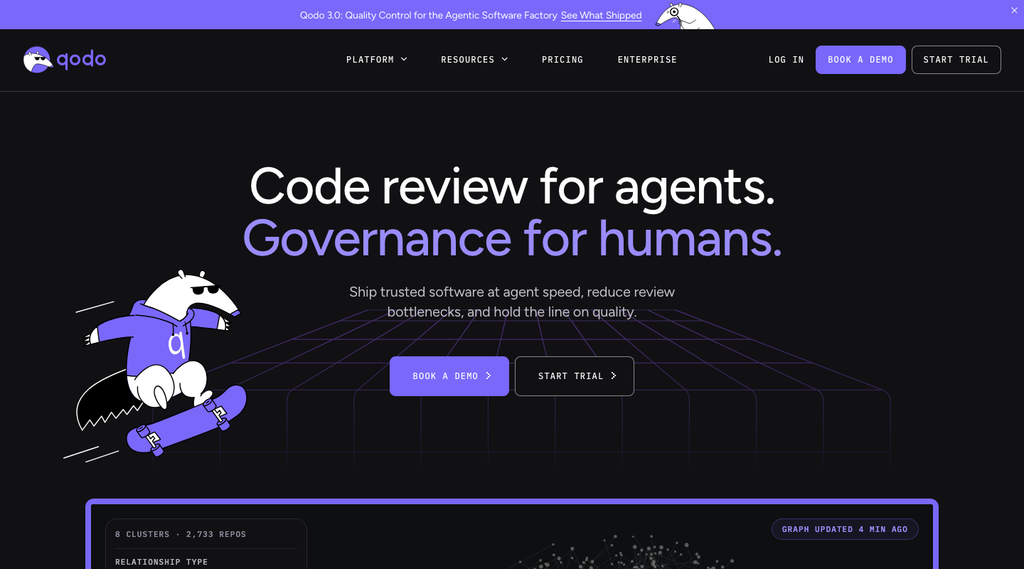
Qodo tries to understand the relationship between files, functions, and other components of the code, not just the changed line. It tends to make more sense in larger codebases, where a small change can affect a distant part of the system.
Key features
| Feature | What it does |
|---|---|
| Contextual AI code review | Looks at changes across multiple files |
| Behavior configuration | Guides the analysis |
| Platforms | GitHub, GitLab, Bitbucket, Azure DevOps |
Why choose Qodo over Graphite
Makes sense for teams that want deeper review analysis without needing stacked PR management. It’s more relevant for applications with heavy dependencies and business logic spread across files or services (see our complete guide to Qodo alternatives).
Things to watch out for
- The value depends heavily on the quality of the context it can read; a messy repository or a confusing monorepo hurts the result.
- More context also means more risk of noise: a comment that makes sense in theory but doesn’t help that specific PR.
- Doesn’t replace Graphite’s full workflow.
Pricing
Billed through a shared credit pool, not per seat.
| Plan | Price |
|---|---|
| Pro Team | ~$30/month (pooled, up to 30 users in the workspace) |
| Enterprise | Custom |
Best for: teams with complex repositories that need more context during review.
4. Bito: best for code review across Git, IDE, and CLI
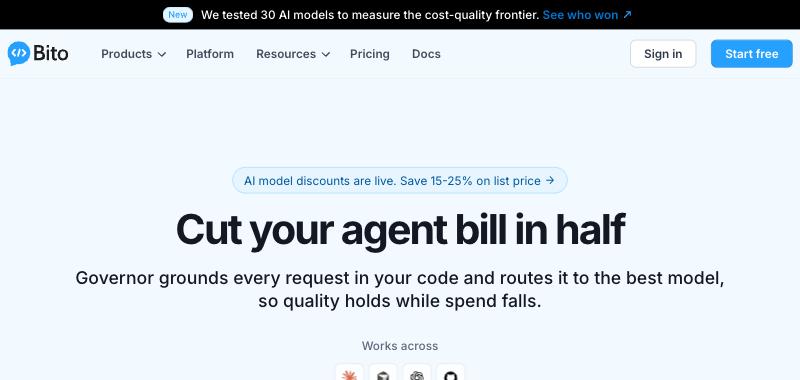
Bito combines AI code review with a system-analysis layer through AI Architect, and reviews across GitHub, GitLab, and Bitbucket, plus IDE and CLI. It gives feedback at more than one stage of development, not just after the PR is opened.
Key features
| Feature | What it does |
|---|---|
| Multi-environment review | Automatic or manual, in PR, IDE, and CLI |
| AI Architect | Maps dependencies, modules, APIs, and impact across parts of the system |
| Integrations | Jira, plus filtering by file, folder, or branch |
| Self-hosting | On the Professional plan |
Why choose Bito over Graphite
For teams that want to move part of the review earlier, into the development environment: the developer gets feedback before opening the PR and keeps getting automated review after pushing the change. AI Architect extends that with dependency and impact reading across the repository (compare other options besides Bito).
Things to watch out for
- The entry plan doesn’t include everything: AI Architect, more advanced rules, Jira, CI/CD, and self-hosting sit in a higher plan or as an add-on.
- Doesn’t offer a direct substitute for stacked PRs.
Pricing
| Plan | Monthly price |
|---|---|
| Team | $15/user/month |
| Professional | $25/user/month |
Best for: teams that want to combine PR review with review in the development environment, plus extra context.
5. GitHub Copilot Code Review: best for teams already living in GitHub
This feature, part of GitHub Copilot’s broader offering, brings AI suggestions directly into GitHub’s pull request interface, using the same models that power Copilot in the editor.
Key features
| Feature | What it does |
|---|---|
| PR review | Directly in the interface, with a change summary |
| Custom instructions | Repo-wide (.github/copilot-instructions.md) and path-specific (.github/instructions/**/*.instructions.md) |
| Extra context | Also reads AGENTS.md if it exists in the repository |
| Integration | Native, no third-party app to install |
Why choose GitHub Copilot over Graphite
An option for teams that don’t need Graphite’s CLI or stacked PR workflow but want to add AI review inside GitHub, using the subscription and environment they already have (see our complete guide to GitHub Copilot alternatives).
Things to watch out for
- No repository context: the analysis stays mostly inside the pull request.
- Custom instructions exist, but they live in a file the PR author can edit on the same branch, not in a setting only the repository admin controls.
- Locked into the GitHub ecosystem: not an option for teams on GitLab or Bitbucket.
- Each review is billed on top of the seat price, consuming AI credits and, on private repositories, GitHub Actions minutes.
Pricing
| Plan | Price |
|---|---|
| Copilot Pro | $10/user/month |
| Copilot Pro+ | $39/user/month |
Best for: teams that use only GitHub and want review built into the platform.
6. CodeAnt AI: best for code quality and AppSec
CodeAnt AI brings together code review, quality, and security on one platform, with a focus on intelligence across repositories. It’s built for organizations with complex microservices setups, where a change in one repository can cause unexpected problems in another.
Key features
| Feature | What it does |
|---|---|
| Cross-repository analysis | Tracks dependencies and potential impact |
| Impact report | Shows which downstream service a PR affects |
| Custom rules | Your own rules and prompts |
Why choose CodeAnt AI over Graphite
Makes sense when the team wants to combine code review with AppSec checks, cutting down on the number of separate tools used before merge.
Things to watch out for
- Complex setup: connecting and indexing many repositories takes time.
- The focus is impact, not line-by-line code quality; it works more like an architectural analysis tool than a direct reviewer.
- Doesn’t replace Graphite’s stacked PR organization.
Pricing
| Plan | Price |
|---|---|
| Trial | Free |
| Premium | $24/user/month |
| Enterprise | Custom |
Best for: teams that want review automation, code quality, and security in one tool.
7. Snyk Code: best for code security
Snyk Code is the AI code analysis product from Snyk, a developer security platform. The core idea is finding and fixing vulnerabilities, not evaluating general code quality or style.
Key features
| Feature | What it does |
|---|---|
| Static analysis | DeepCode AI engine |
| Fix suggestions | Prioritized by severity |
| Integrations | IDE and CI/CD pipeline |
Why choose Snyk Code over Graphite
A better fit when the main goal of review is catching vulnerabilities before they reach production. Teams that already have a manual or automated review process can add Snyk Code just to cover the security side (see more security options similar to Snyk).
Things to watch out for
- Not a general-purpose reviewer: it won’t comment on logic, performance, or coding standards outside of security.
- Can create noise with low-severity alerts if it isn’t configured well.
- Doesn’t offer stacked PR management.
Pricing
Switched from per-developer billing to a flat plan.
| Plan | Price |
|---|---|
| Free | Free |
| Team | $25/month |
| Enterprise | Custom |
Best for: teams that need to strengthen security checks in development.
8. Sourcery: best for automated review with security checks

Sourcery reviews every pull request within minutes, posts a summary and suggested fixes you can apply directly with one click, and can auto-approve low-risk PRs with no blocking findings. It supports every language GitHub recognizes, plus GitHub and GitLab, including self-managed GitLab on every plan. GitHub Enterprise Server is limited to the Enterprise plan. It also integrates with VS Code and PyCharm.
Key features
| Feature | What it does |
|---|---|
| Summary and fixes | Applicable directly in the PR |
| Auto-approval | Of low-risk PRs |
| Scheduled security scan | Exposed secrets, vulnerable code, misconfigured infrastructure, known CVEs |
| Self-managed GitLab | On every paid plan |
Why choose Sourcery over Graphite
An option for teams that want to automate review without adopting Graphite’s stacked PR flow, combining code feedback with security checks. It has a free plan for public repositories, so open source projects can use automated review at no cost.
Things to watch out for
- Bitbucket isn’t supported.
- Team-level custom rules aren’t documented publicly, unlike Kodus or CodeRabbit.
- BYOK (“your own LLM keys”) is limited to Enterprise.
- No native stacked PR management.
Pricing
| Plan | Monthly price |
|---|---|
| Open Source | Free |
| Pro | $15/dev/month |
| Team | $30/dev/month |
| Enterprise | Custom |
Best for: teams that want automated review and security checks on GitHub or GitLab.
9. Cursor BugBot: best for teams already using Cursor

Cursor BugBot is an AI review tool focused on catching bugs in code changes.
It integrates with GitHub and the Cursor ecosystem, letting teams review pull requests and work with fix suggestions.
Key features
| Feature | What it does |
|---|---|
| Deep editor integration | It’s a core part of Cursor, with no need to switch tools |
| Automated review | Focused on functional bugs |
| Automatic fix | Suggests a complete fix, not just a flag |
| Session context | Uses open files and recent changes in the editor |
| Per-file rules | Via BUGBOT.md |
Why choose Cursor BugBot over Graphite
Makes sense for teams that already use Cursor as their main tool: it adds a bug-catching step to the PR without requiring a broader review management platform (see our complete guide to Cursor BugBot alternatives).
Things to watch out for
- Locked into the Cursor editor: won’t work if the team uses VS Code, JetBrains, or something else.
- Focused on functional bugs, not full review of style or architecture.
- Doesn’t replace stacked PRs or a merge queue.
Pricing
| Plan | Price |
|---|---|
| Pro | $40/month |
| Teams | $40/user/month |
Best for: teams that use Cursor and GitHub and want to automate bug detection in pull requests.
10. Greptile: best for repository context
Greptile tries to understand the repository before commenting on a change: it maps parts of the codebase to review the PR with more system reference, instead of just looking at the diff.
Key features
| Feature | What it does |
|---|---|
| Extra context | Accepts documentation and instructions to guide the analysis |
| Parallel agents | Assess the impact of a change beyond the diff, not just the changed file |
| Learning from team feedback | Learns coding standards and conventions by reading the team’s own PR comments |
Why choose Greptile over Graphite
Makes sense for teams that want to put their investment into contextual code analysis without needing Graphite’s stacked PR features. It’s worth evaluating most in larger repositories, where understanding dependencies changes the quality of the review (compare other repository-context tools like Greptile).
Things to watch out for
- Customization is less practical for teams that want to keep review policy as part of the repository itself.
- Public SCM support is narrower: outside GitHub and GitLab, it loses strength quickly.
- Per-seat pricing plus charges for reviews above the quota makes teams ration usage.
- Doesn’t replace Graphite’s full workflow.
Pricing
| Plan | Price |
|---|---|
| Standard | $30/seat/month |
| Enterprise | Custom |
Best for: teams with large repositories looking for review with more code context.
Full comparison table of Graphite alternatives
| Tool | How it works | Context | Customization | Open source | Config by directory | SCMs |
|---|---|---|---|---|---|---|
| Kodus | Automatic or on-demand review, with global, per-repo, and per-directory config | Yes, with repo search and cross-file reading | Kody Rules in natural language (organization, repository, directory), versionable in Markdown or via kodus-config.yml | Open source core | Yes | GH, GL, BB, ADO, Forgejo |
| CodeRabbit | PR bot with summary, inline comments, and pre-merge checks | Yes, including linked repositories | Path instructions and guidelines | No | Partial | GH, GL, BB, ADO |
| Qodo | Agent-based review with expanded context | Yes, advanced features on higher tiers | Agent config and environment adjustments | No | Limited | GH, GL, BB, ADO |
| GitHub Copilot | Native review inside GitHub | Partial, tied to the GitHub ecosystem | Repo-wide and path-specific custom instructions | No | Yes | GitHub |
| Bito | Review in PR, IDE, and CLI | Yes, broader codebase reading | Guidelines and behavior adjustments | No | No | GH, GL, BB |
| Greptile | PR review with expanded repo reading | Yes, with custom context | Focused on context depth | No | Limited | GH, GL |
| Snyk Code | PR checks and fix PRs focused on security | Risk and vulnerability oriented | Security policies and rules | No | Partial | GH, GL, BB, ADO |
| Sourcery | PR summary, suggested fixes, and auto-approval of low-risk PRs | Partial, looks at the PR and runs scheduled security scans | Not publicly documented | No | No | GH, GL (including self-managed) |
| CodeAnt AI | Review inside an AppSec and quality stack | Yes, full codebase context | Custom rules and prompts | No | No | GH, GL, BB, ADO |
| Cursor BugBot | Review bot tied to the Cursor ecosystem | Partial, focused on the PR | Rules in BUGBOT.md | No | Yes | GitHub |
Which Graphite alternative should you choose
The best choice depends on why you’re evaluating a change in the first place.
| Need | Tools | Why |
|---|---|---|
| AI code review governance | Kodus | Controls rules, AI model, and infrastructure across repositories and directories, with BYOK and self-hosted deployment |
| Fast automated review | CodeRabbit, Sourcery | Automatic feedback on changes and configuration to guide the analysis |
| More codebase context | Qodo, Greptile, Bito | Contextual analysis for when understanding related files and dependencies matters |
| GitHub-only teams | GitHub Copilot Code Review, Cursor BugBot | The first for native integration, the second for teams already on Cursor |
| Security requirements | Snyk Code, Sourcery, CodeAnt AI | Risk and vulnerability identification; the choice depends on needing a dedicated security platform or review-integrated checks |
| Self-hosting | Kodus, Sourcery, Bito | Kodus has an open source core and its own deployment; Sourcery and Bito offer self-hosting on specific plans |
Conclusion: which Graphite alternative is worth it
Graphite is still a relevant option for teams that need to combine code review, stacked PRs, and merge automation.
But if the priority is automated review, there are alternatives with different approaches. CodeRabbit and Sourcery are options for teams that want to add AI code review to the pull request flow. Qodo, Greptile, and Bito each take a different approach to bringing context into the analysis. GitHub Copilot and Cursor BugBot make sense for teams already using those ecosystems.
For organizations that need to keep technical standards consistent across repositories, control which AI model runs, and choose where the tool runs, Kodus is one of the more interesting Graphite alternatives. Its open source core, Kody Rules, BYOK, and self-hosting options let you build AI code review into the engineering process without requiring a specific branching workflow.
If your team’s main problem is reviewing code with more consistency and control, Kodus is worth considering as an alternative.
Frequently asked questions
What is the best alternative to Graphite for AI code review?
Kodus is one of the best alternatives for teams that need AI code review with custom rules, BYOK, self-hosted options, and support for different Git platforms. CodeRabbit and Sourcery are good options for automated PR review, while Qodo and Greptile stand out for their focus on repository context. The right choice depends on which Graphite capability you’re trying to replace.
Is Kodus a good alternative to Graphite?
Yes, especially for teams that want to replace Graphite’s AI code review layer with a solution that gives more control over rules, models, and infrastructure. Kodus has an open source core, BYOK, Kody Rules, and support for several Git platforms. It doesn’t replace Graphite’s native stacked pull request and merge queue features, though.
Are there open source alternatives to Graphite?
Yes, depending on which part of Graphite you want to replace. Kodus is open source for AI code review, with custom rules, BYOK, and self-hosted deployment. If you specifically need the command-line stacked PR workflow, that falls outside what Kodus covers; look for a dedicated Git workflow tool for that instead.
Which Graphite alternatives work with GitLab and Bitbucket?
Kodus, CodeRabbit, Qodo, Snyk Code, and CodeAnt AI cover GitHub, GitLab, Bitbucket, and Azure DevOps. Bito supports GitHub, GitLab, and Bitbucket. Sourcery supports GitHub and GitLab (including self-managed), but not Bitbucket. Greptile and Cursor BugBot are more limited to GitHub and GitLab. For a platform-by-platform comparison, see our guides to AI code review tools for GitHub, for GitLab, for Bitbucket, and for Azure DevOps.
Can I migrate from Graphite to Kodus?
The review part is simple to migrate: since Kodus works with your version control provider, like GitHub or GitLab, you just connect the repository and set up your rules. But that migration only swaps the AI review layer. If your team also uses Graphite for stacked PRs and automated merging, that part of the workflow still needs another tool.
What is Graphite code review?
It’s Graphite’s own native AI review feature, called AI Reviews. It’s limited on the Hobby and Starter plans and unlimited on Team and Enterprise. It’s different from the stacked diffs feature, which is what originally made Graphite well known.
Is Graphite still independent after being acquired by Cursor?
For now, yes. Cursor (Anysphere) announced the acquisition on December 19, 2025, and according to coverage at the time, Graphite continues to operate as its own product and team, with plans for closer integration with Cursor’s editor down the line, with no public date set.
What is the cheapest Graphite alternative?
It depends on your use case and the features you need. Kodus Community is free, but model usage through BYOK can generate cost. Sourcery has a free plan for public repositories, while CodeRabbit and Qodo have free tiers with limitations. To compare pricing, factor in the subscription, review limits, token usage, and any additional charges.
Are there self-hosted Graphite alternatives?
Yes. Kodus, Bito, and Sourcery offer their own deployment options, with different availability: Kodus has an open source Community edition and Enterprise self-hosting (see the self-hosted AI code review page), Bito limits it to specific plans, and Sourcery only on Enterprise. Confirm the details on the plan before deciding, since the offering varies quite a bit from one to the other.