Best Greptile Alternatives in 2026
 Edvaldo Freitas

Finding good Greptile alternatives in 2026 has become a priority for many teams that want to use AI in code review, but need more control over cost, context, rules, and integration with the real engineering workflow.
Greptile is a strong tool for understanding codebases and supporting reviews with repository context, but it is not always the best option for every team. Some companies look for alternatives because of pricing, model flexibility, self-hosting options, support for different Git platforms, or greater ability to customize how AI should review each pull request.
In this guide, we’ll compare the main Greptile alternatives for AI code review in 2026, looking at what actually matters day to day: comment quality, context used in the analysis, support for custom rules, integrations with GitHub, GitLab, and Bitbucket, deployment options, pricing model, and level of control over the review workflow.
TL;DR
| Tool | Best for | Main differentiator |
|---|---|---|
| Kodus | Teams that need customized, context-aware code reviews. | Open source, model-agnostic, repository-level context, and natural-language rules. |
| CodeRabbit | Fast, automatic PR summaries and line-by-line feedback. | Simplicity and speed for more lightweight reviews. |
| Qodo | Startups that want a fast, general-purpose AI reviewer. | Focus on developer experience and fast setup. |
| Bito | Individual developers who want a complete AI assistant. | Broad feature set beyond code review, such as test generation. |
| GitHub Copilot | Teams heavily invested in the GitHub ecosystem. | Easy integration with GitHub PRs. |
| Graphite | Teams struggling with large, monolithic pull requests. | Workflow management with stacked diffs. |
| Snyk | Security-focused teams that need automatic vulnerability scanning. | Deep security knowledge and dependency scanning. |
| SonarQube | Companies that need a complete static analysis platform. | Mature rule-based quality and security analysis. |
Why teams are switching from Greptile
The reasons for looking at other tools usually come down to a few practical needs.
- The first is predictable cost: Greptile’s plan is US$30 per seat per month with 50 reviews included, and US$1 per extra review. For teams with many small PRs, frequent automatic reruns, or parallel squads, this model can become more expensive and harder to predict
- The second is platform coverage: Greptile’s public documentation highlights GitHub, GitLab, and GHES, plus self-hosted for more restricted environments. For teams on Bitbucket or Azure DevOps, this already pushes the search toward other players.
- The third is limited customization: Every team has its own code conventions, architecture patterns, and business rules that generic advice does not cover. Teams need to define their own rules, such as “deprecate all usage of
OldAuthService” or “make sure any new database migration includes a rollback script.” Greptile was not built for this kind of specific verification. - The fourth is fit with the review process: Not every team only wants “a bot that comments on the PR.” Some want rule centralization by directory, MCP plugins, markdown configuration inside the repo, integration with agents, or a stronger governance layer. In other cases, the team wants the opposite path and prefers something more native, like Copilot inside GitHub
Top 8 Greptile alternatives in 2026
Here’s a look at the most useful alternatives, from AI review tools to static analysis platforms.
1. Kodus
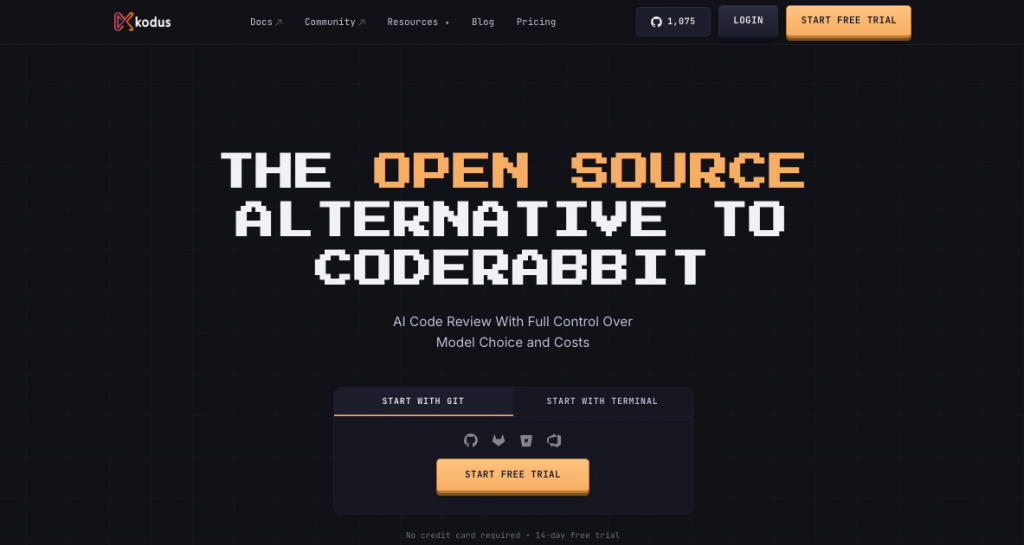
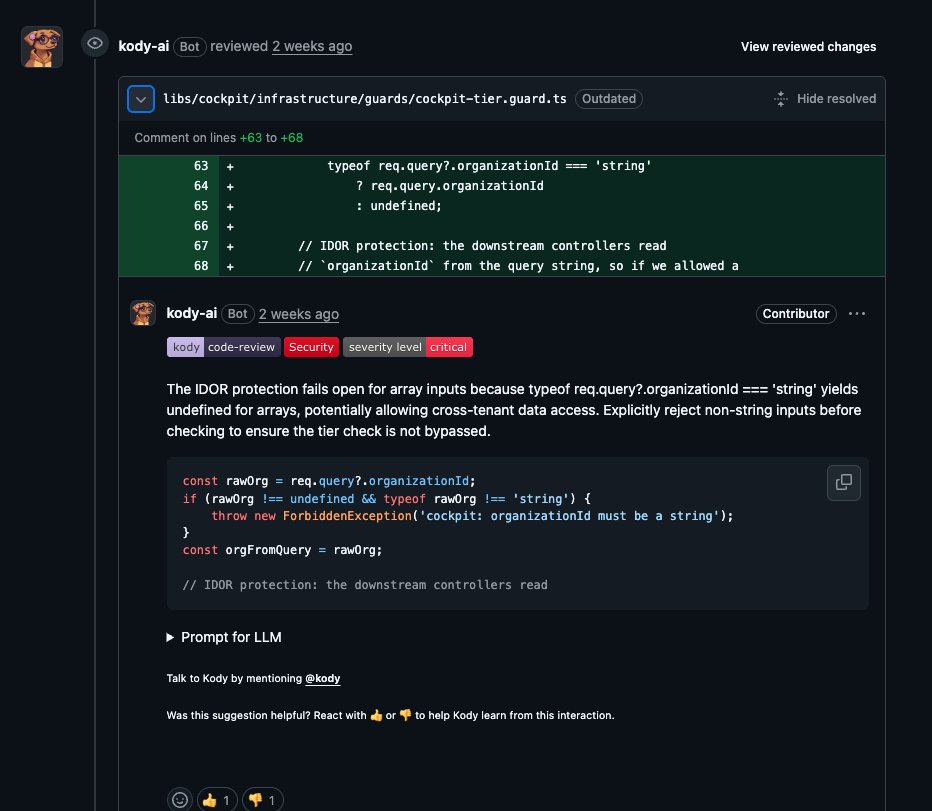
Kodus is an open source platform for automating code reviews with AI. It was built to give engineering teams a lot of control over the review process, combining full-repository understanding with custom rules written in natural language.
- Pros:
- Repository-level context: Kodus builds an understanding of your entire codebase, allowing it to find issues that tools focused only on changes may miss, such as unexpected effects caused by changes in shared modules.
- Custom rules in natural language: You can define detailed, specific rules without writing YAML or code. For example: “No new dependency should be added to the billing service without approval from the security team.”
- Model-agnostic and BYOK: It is not locked into a single LLM provider. You can use models from OpenAI, Anthropic, or Google, and use your own API keys, which gives you control over cost and data privacy.
- Open source and self-hostable: The main platform is open source, offering transparency and the option to self-host for more security and control.
- Extensible with plugins: A plugin system allows connections with internal tools, custom linters, and other parts of your development stack.
- Cons:
- More initial setup: Since you can configure many things and also run it self-hosted, the first setup may require more effort than a simple GitHub App.
- Pricing:
Free Community plan using your own API key. Teams plan at US$10/dev/month + tokens. Enterprise by quote. - Best for:
Engineering teams that need a highly customizable automated code review system, with context and control, will find Kodus a good option. It is a good fit for organizations with specific architectural standards and security requirements.
2. CodeRabbit
CodeRabbit is an AI code review tool. It focuses on automating the first layer of a code review. It generates PR summaries, line-by-line suggestions, and you can configure it for different levels of feedback, from lightweight suggestions to more detailed reviews.
- Pros:
- Clear, easy-to-use comments: Provides short line-level comments that developers can use easily.
- PR summaries: Creates summaries of changes, which can help human reviewers work faster.
- Configurable review depth: Teams can choose the depth of the review, helping control the balance between signal and noise.
- Cons:
- Limited context: It mainly focuses on the diff, so it can miss problems that require a broader understanding of the repository.
- Less customization: Although it is configurable, it does not offer the same deep custom rule creation as tools like Kodus. You cannot teach it your team’s specific architectural rules.
- Can add too many messages: Like many tools that add automatic comments, it can sometimes put too many messages in PRs if it is not configured carefully.
- Limited self-hosted: Public self-hosted only appears for Enterprise with 500+ seats, which excludes many teams.
- Multi-repo analysis: Multi-repo analysis is still more limited than the name suggests, with public support for one linked repo per configuration.
- Pricing:
Pro starting at US$30/user/month, Pro+ starting at US$60/user/month, Enterprise by quote. - Best for:
Teams looking for a simple and easy way to get automatic comments on code style, possible bugs, and documentation in their pull requests.
3. Qodo
Qodo is another AI code review tool. It aims to speed up the review process. It connects to your repository and automatically comments on pull requests with improvement suggestions. Its focus is code quality, performance, and best practices.
- Pros:
- Focus on developer experience: It is intuitive and easy for developers to start using quickly.
- Broad language support: Works with many popular programming languages.
- Actionable suggestions: The feedback is usually clear and includes concrete examples of how to fix issues.
- Integration: Broad Git provider support, including Azure DevOps.
- Cons:
- Lacks deep code understanding: Like other tools that only look at changes, it may not understand the full effect of a change in a large repository.
- General-purpose feedback: Suggestions come from generic best practices and may not fit a team’s specific context or code standards.
- Limited control over rules: It does not have a strong way to define custom, project-specific rules.
- Pricing:
Free Developer plan with 30 PRs per month. Teams starting at US$30/user/month annually or US$38 monthly. Enterprise by quote. - Best for:
Startups and mid-sized teams that want a straightforward AI code reviewer to apply common best practices without much configuration.
4. Bito
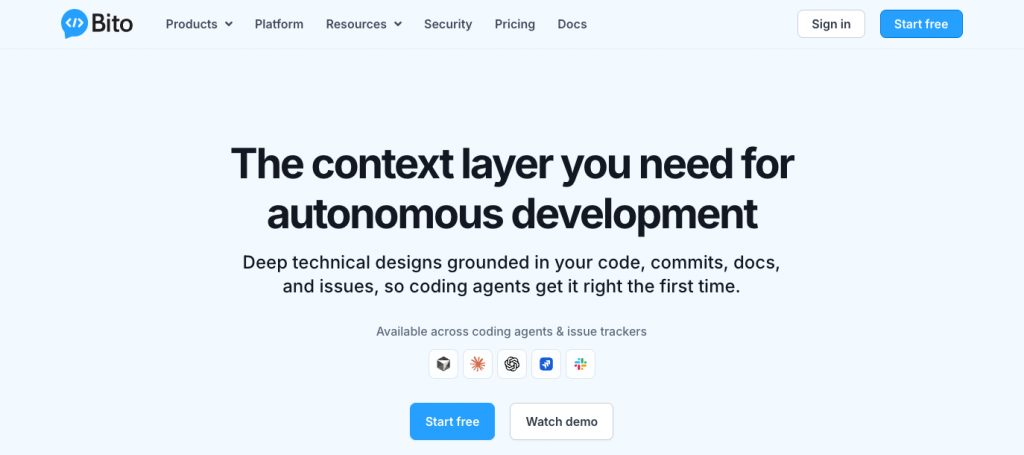
Bito is an AI assistant for developers that lives in the IDE and CLI. It offers features like code generation, explanation, and test creation. It also includes code change analysis, which can be used as part of a review.
- Pros:
- All-in-one tool: Combines many AI tasks for development in a single product.
- IDE integration: Works directly inside VS Code and JetBrains IDEs. This makes it easy to access during development.
- Helps with more than review: You can also use it to generate boilerplate code, write documentation, and create unit tests.
- Team-based knowledge: You can train it on your organization’s codebase for more relevant answers, although that is not the same thing as real-time repository indexing for reviews.
- Cons:
- Code review is not its only focus: Its review features are less specialized than dedicated tools like Kodus or CodeRabbit.
- Mainly an individual tool: Its main strength is helping individual developers, rather than acting as a systematic, automated gate in the CI/CD pipeline.
- Depends on developer usage: Its value depends on each developer installing and actively using the IDE plugin.
- Pricing:
Team starting at US$12/seat/month annually or US$15 monthly. Professional starting at US$20 annually or US$25 monthly. Enterprise by quote. - Best for:
Individual developers or teams that want a multipurpose AI assistant to help with several development tasks, not just code review.
5. GitHub Copilot Code Review
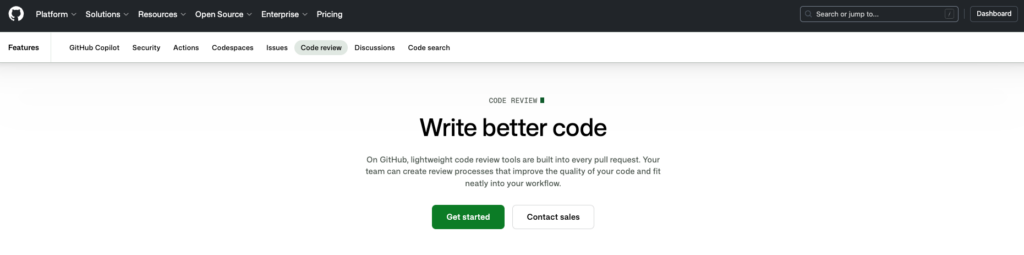
GitHub Copilot is adding code review features, mainly through the Enterprise plan. It uses its close connection with the GitHub platform to deliver AI-powered pull request summaries and analysis. It reviews PRs, suggests applicable changes, accepts repository and path-based instructions, runs automatic reviews, and uses broader context through GitHub Actions for agentic features.
- Pros:
- Native GitHub integration: Integrated directly into the pull request workflow. No other tool is required.
- Uses existing context: Can use information from the rest of the GitHub ecosystem, such as Issues, to help with suggestions.
- Uses OpenAI models: Built with the same technology that powers Copilot’s main autocomplete features.
- Unified billing: Part of the GitHub Copilot Enterprise subscription, making procurement easier for companies that already use the tool.
- Cons:
- GitHub only: Works only with GitHub.
- Limited control: Offers very little control over the models used, review rules, or data privacy beyond GitHub’s standard terms. There is no BYOK or self-hosting.
- Limited custom rules: It does not have the ability to define specific, custom rules like tools such as Kodus offer.
- Pricing:
Pro US$10/month, Pro+ US$39/month, Business US$19 per seat/month, Enterprise US$39 per seat/month, with additional premium requests at US$0.04 - Best for:
Companies that use GitHub heavily and want a native, integrated AI review experience without adding another vendor.
6. Graphite
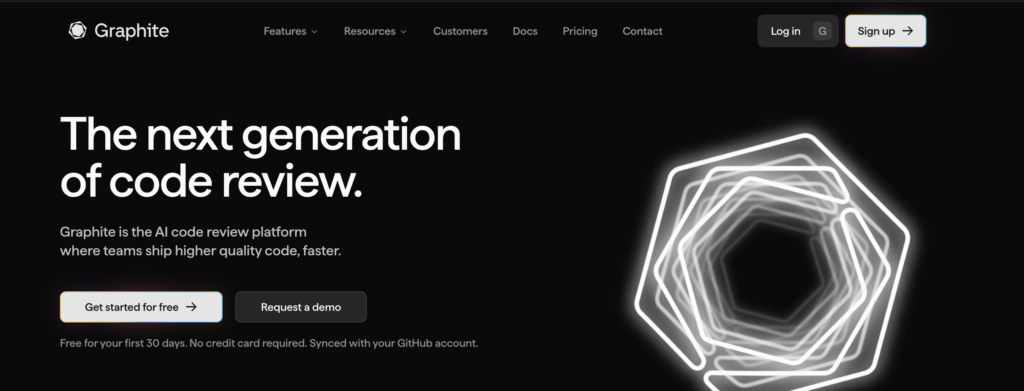
Graphite is a PR workflow platform for GitHub, with stacked PRs, inbox, merge queue, and AI review inside Graphite Agent. The AI review is codebase-aware, has custom rules, suggested fixes, and CI summaries. Graphite itself is clear in its docs: today the Git integration is GitHub only, and there is no self-hosted version of the Graphite service.
- Pros:
- Improves the review flow: Solves the problem of huge, hard-to-review pull requests by allowing stacked changes.
- Parallelizes development and review: Allows developers to keep working on new features while previous ones are under review.
- Works with GitHub: Runs on top of GitHub, so you do not need to move your codebase.
- Command line and dashboard: Provides tools that make it much easier to manage complex stacks of changes.
- Cons:
- Requires a workflow change: Adopting stacked diffs changes how the team works. This requires everyone to buy in.
- Does not automate feedback: It improves human review, but does not offer automatic code analysis by itself.
- Pricing:
Free Hobby for personal projects, Starter at US$20/seat/month annually, Team at US$40/seat/month annually, Enterprise by quote. In public pricing, unlimited AI reviews appear in Team. - Best for:
Teams that struggle with large pull requests that slow down development. It is a workflow solution, not a code analysis tool.
7. Snyk
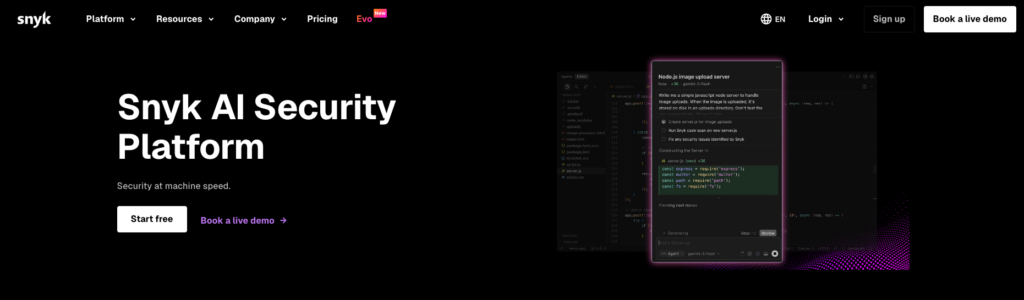
Snyk appears in this list with a different profile. It is not the PR reviewer most similar to Greptile in conversational experience, but it is a strong alternative when the main goal of PR review is to block vulnerabilities and security regressions. It offers PR summary comments, PR checks, support for GitHub, GitLab, Bitbucket, and Azure Repos, plus custom rules
- Pros:
- Deep security focus: It specializes in finding security flaws, such as SQL injection, cross-site scripting, and unsafe use of libraries.
- Dependency scanning: Analyzing your dependencies, such as
package.json,requirements.txt, etc., for known vulnerabilities is a central feature. - Clear and actionable fixes: It often provides automatic pull requests to update vulnerable packages.
- Broad ecosystem support: Integrates with major version control systems, CI/CD tools, and IDEs.
- Cons:
- Not a general-purpose reviewer: It does not comment on code logic, architecture, or style. It looks for specific, known security antipatterns.
- Can create noise: If not configured well, security scanners can generate many low-priority alerts.
- Rule-based: It uses a known vulnerability database and fixed rules, not semantic understanding from an LLM. Custom rules are not in natural language and require their own logic.
- Pricing:
Free. Team starting at US$25/dev/month. Ignite starting at US$1,260 per year per contributing developer. Enterprise by quote - Best for:
Organizations that treat PR review as a security control point and want native scans in the development workflow.
8. SonarQube
SonarQube is one of the oldest and most established static code analysis tools. It checks code smells, bugs, and security vulnerabilities. It is a platform that helps keep code quality high over time by tracking metrics and enforcing a quality gate. SonarQube Cloud and SonarQube Server cover GitHub, GitLab, Bitbucket, and Azure DevOps, with PR decoration, custom quality profiles, and an open source option through Community Build. For languages, the coverage is very broad, including traditional languages and IaC.
- Pros:
- Mature and complete: Supports dozens of languages and has thousands of built-in rules.
- Focus on code quality metrics: Tracks things like code complexity, duplication, and test coverage over time.
- Consistent and reliable: Rules are well documented and always produce the same results, making the tool a reliable check in a CI pipeline.
- Self-hostable: Offers a free and open source Community Edition, with paid versions for more features.
- Cons:
- Lacks semantic understanding: It is a static analysis tool. It cannot understand the purpose of the code, so it cannot find logical errors or apply high-level architectural rules the way an LLM-based tool can.
- Setup can be time-consuming: Adjusting rule sets, Quality Profiles, and configuring quality gates can require a lot of effort.
- Can feel rigid: Some developers find its strict, rule-based approach less flexible than modern AI tools.
- Pricing:
Free. Team starting at US$32/month for up to 100k LOC in Cloud. Enterprise by quote. Community Build and Server follow their own paths. - Best for:
Teams that want quality governance and static analysis more than a conversational reviewer experience.
Comparison table of Greptile alternatives in 2026
| Criteria | Kodus | Greptile | CodeRabbit | GitHub Copilot Code Review | Snyk | SonarQube | Qodo | Bito | Graphite |
|---|---|---|---|---|---|---|---|---|---|
| Primary Focus | Pull request reviews with custom rules, team memory, and full model flexibility | Pull request reviews with broad codebase awareness | Pull request reviews with automation, knowledge base support, and planning workflows | Native code review inside GitHub | Security and vulnerability findings in pull requests | Static code quality analysis with an AI review layer | Multi-agent review with governance controls | Code review with built-in quality and security signals | AI reviews inside a stacked PR workflow |
| Context | Codebase awareness, review history, Kody Rules, and learning from team feedback | Broad repository-level context | Codebase context, knowledge base, and linked repositories | Repository context inside GitHub | Data flow analysis and security context | Project-wide static analysis and quality gates | PR History and Context Engine | Codebase-aware review with signals from external tools | Codebase context inside the Graphite workflow |
| Custom Review Rules | Yes, with natural-language Kody Rules tailored to your team’s workflow | Yes, with custom context | Yes, with path-based instructions and YAML configuration | Yes, with custom instructions | Limited to security-focused use cases | Yes, with quality profiles and policies | Yes, with the Rule System | Yes, with custom guidelines and learned rules | Yes, with custom rules |
| Learns From Feedback | Yes, it uses team feedback to improve future reviews | Yes | Yes | Partial | Limited | Partial | Partial | Yes | Yes |
| BYOK | Yes | No | No | No | No | No | No | No | No |
| Self-Hosting | Yes | Yes | Yes, on Enterprise | No | No dedicated self-hosted reviewer | Yes, through SonarQube Server | Yes, on Enterprise | Yes | No |
| Open Source | Yes | No | No | No | No | Partial, through Community Build | No | No | No |
| Core Integrations | GitHub, GitLab, Bitbucket, and Azure DevOps | GitHub and GitLab | GitHub, GitLab, Bitbucket, Azure DevOps, IDEs, and Slack | GitHub and IDEs | GitHub, GitLab, Bitbucket, Azure Repos, IDEs, and CLI | GitHub, GitLab, Bitbucket, and Azure DevOps | Git workflows and IDEs, with a stronger focus on GitHub | GitHub, GitLab, Bitbucket, IDEs, and CLI | GitHub, Slack, CLI, and VS Code |
| Monthly Pricing and Limits | Community: free, with unlimited PRs and users on BYOK, up to 10 rules and 3 plugins. Teams: US$10 per developer per month, plus tokens paid directly to the model provider. Enterprise: custom pricing. | US$30 per seat per month, with 50 code reviews included per seat. Extra reviews cost US$1 each. Enterprise: custom pricing. Eligible OSS projects: free. | Pro: US$24 per user per month. Pro Plus: US$48 per user per month. Both prices are shown with annual billing. PRs and repositories are unlimited. Limits apply per hour and by feature, including linked repo analyses and MCP connections. | Pro: US$10 per user per month, with 300 premium requests. Business: US$19 per seat per month, with 300 requests per user. Enterprise: US$39 per seat per month, with 1,000 requests per user. Additional requests cost US$0.04 each. | Team: starting at US$25 per contributing developer per month, with a minimum of 5 and a maximum of 10 developers. Products are purchased separately. On the Snyk Code plan grid, Team includes up to 1,000 tests per month. Enterprise: custom pricing. | Free: US$0, with up to 50,000 private LOC and 5 users. Team: starting at US$32 per month. Enterprise: custom pricing. Sonar Review requires Team or Enterprise. | Teams: US$38 per user per month, or US$30 with annual billing, with 20 PRs per user per month. For IDE and CLI usage, the Teams plan includes 2,500 credits per month. Enterprise: custom pricing. | Team: US$15 per seat per month, or US$12 with annual billing, with 5,000 lines per seat per month and US$5 for each additional 1,000 lines. Professional: US$25 per seat per month, or US$20 with annual billing, under fair usage. Enterprise: custom pricing. | Starter: US$20 per user per month. Team: US$40 per user per month. Both prices are shown with annual billing. AI reviews are limited on Starter and unlimited on Team. Enterprise: custom pricing. |
How to choose your Greptile alternative
The right tool depends entirely on the problems your team is facing. Here’s a simple way to help you decide.
- If your main goal is to enforce custom, team-specific rules…
You need a tool with a strong custom rules engine. Kodus is a clear choice here, since its natural-language rules and its understanding of the full repository were built exactly for this purpose. - If you only want simple automatic comments on PRs with minimal setup…
CodeRabbit or Qodo are good options. They are easy to install and quickly help by finding common issues. GitHub Copilot also works well if you are already using that ecosystem. - If security and vulnerability scanning are your biggest priority…
This is specialized work. Use a dedicated security tool like Snyk. You can run it alongside a general AI reviewer. - If you need to check traditional and consistent code quality measures…
SonarQube is the common choice. It is not AI-based, but it reliably checks code complexity, duplication, and known bug patterns. - If your biggest problem is large, hard-to-review pull requests…
The problem may be in your workflow, not your tools. Graphite helps fix the process by allowing stacked PRs. - If you need self-hosting and full data control…
Your options are fewer. Kodus and SonarQube are the main choices that offer the best self-hosting option. Kodus adds the ability to bring your own keys and choose your AI model.
Frequently asked questions
Is Kodus a good Greptile alternative?
Yes, especially if you want to automate your code review process. While Greptile helps you understand code when you ask questions, Kodus automatically checks every pull request against custom rules that understand your code. It is a better option for teams that want to enforce standards and improve code automatically inside the CI/CD pipeline.
What is the cheapest Greptile alternative?
If the comparison focuses on AI PR review, Kodus Community is one of the cheapest options to start with, because the license is free and you only pay the model provider through BYOK. SonarQube Free is also cheap, but it solves another problem, more static analysis and quality gate than a Greptile-style PR reviewer.
Can I migrate from Greptile to Kodus?
Yes, and the process is usually pretty easy. You reconnect the new app to your Git provider, recreate rules that currently live in Greptile custom context or config inside Kody Rules, repository rules, or centralized Kodus configs, you can choose the review cadence and test in a small group of repositories before opening it up to the whole organization, if you prefer.
Are there any self-hosted Greptile alternatives?
Yes. Kodus was built to be self-hosted, giving you full control over your data and servers.
Which Greptile alternative gives you the most control over model choice and infrastructure?
If your team wants to choose its own AI model, use BYOK, and keep the option to self-host, Kodus is one of the most flexible alternatives. More closed tools may be easier to adopt at first, but they usually offer less control over cost, privacy, and review configuration.
Final verdict
If you like what Greptile is trying to do, deeper context and less file-by-file review, but want more control over how that review happens, Kodus is the most complete alternative today. It brings together repository context, natural-language rules, plugins, open architecture, BYOK, and a configuration flow that fits better with teams that actually treat code review as an engineering process, not just as automatic comments on a PR.