Best Qodo Alternatives in 2026
 Edvaldo Freitas

If your team uses Qodo for AI code reviews, you have probably already seen how useful it can be to automate part of that feedback. But as these tools improve, what worked last year may not be the best fit for 2026. I analyzed many AI code review tools and noticed a clear pattern: teams want more than simple, line-by-line suggestions. They are looking for ways to combine these tools more completely with their work, have more control over them, and get more understanding of the code. This guide covers the best Qodo alternatives I found, showing how each one fits into a team’s daily engineering work.
I’ll explain the practical differences between the main tools. I’ll talk about what actually matters day to day: how much you can customize them, their pricing, how much control you have over the AI, and how well they understand your code.
TL;DR
| Tool | Best for | Repository context | Custom rules | Hosting | BYOK / model control | Starting price |
|---|---|---|---|---|---|---|
| Kodus | Teams that want real control over the review workflow | Codebase awareness, review history, Kody Rules, and learning from team feedback | Yes, in natural language | Cloud or self-hosted | Yes | Free; Teams at US$10/dev/month + tokens |
| CodeRabbit | Teams that want a managed multi-platform experience | Codebase context, knowledge base, and linked repositories | Yes | Cloud; self-hosted on Enterprise | No | US$60/user/month |
| Greptile | Teams with complex codebases on GitHub/GitLab | Broad repository-level context | Yes | Cloud or self-hosted | No | US$30/seat/month |
| Bito | Teams that want good value and a fast rollout | Codebase-aware review with signals from external tools | Yes | Cloud; self-hosted on higher tiers | No | US$25/user/month |
| GitHub Copilot Code Review | GitHub-first orgs already standardized on Copilot | Repository context inside GitHub | Yes, through instructions | GitHub service | No | US$10/user/month |
| Snyk Code | Teams that want security-first code analysis | Data flow analysis and security context | Limited compared with review platforms | Cloud | No | US$25/user/month |
| Graphite Agent | GitHub teams using or adopting stacked PRs | Codebase context inside the Graphite workflow | Yes, on higher tiers | Cloud | No | US$50/user/month |
| Cursor Bugbot | GitHub-first teams already using Cursor | Codebase context inside the Cursor and GitHub workflow | Yes, with directory-scoped rules | Cursor and GitHub workflow | No | US$40/user/month |
Why teams are switching from Qodo
When tools like Qodo first appeared, the main benefit was getting automated feedback on pull requests. That was already a big improvement over simple linters. But engineering teams are now running into the limits of that early approach. The problems I hear most often are not so much about whether the AI finds a bug, but whether the tool fits into a team’s specific work.
Teams look for alternatives for a few reasons:
- Lack of repository context: Most early tools only look at the changes in a pull request. They do not understand the rest of the code. This means they suggest things that may look correct in isolation, but go against existing patterns, architecture decisions, or internal libraries elsewhere in the code. This creates low-value comments that a human reviewer would ignore right away.
- Limited customization: Your team works in its own way. Maybe you have specific rules for database migrations, API versioning, or logging formats. Many tools offer little or no way to apply these custom, domain-specific rules. You end up being forced to follow the tool’s general “best practices,” which often are not the practices your team actually follows.
- Black-box AI models: Often, you cannot control the LLM being used, its version, or its system prompt. When the model behaves differently, review quality can also change, and there is nothing you can do about it. For teams with security or compliance needs, not being able to use your own key (BYOK) or host the tool yourself makes adoption impossible.
- Inflexible pricing: Per-seat pricing can get expensive for large teams or companies with many people who contribute only occasionally. Some teams prefer to pay based on how much they use the tool, while others need a fixed annual cost. A single pricing model does not work for every team.
- Workflow friction: The tool should fit your work, not the other way around. Some tools make too many comments, pointing out every small detail and hiding the important feedback. Others do not integrate well with specific tools, such as Bitbucket, or have limited CI/CD options. The goal is to make review faster, not create more noise.
Top 8 Qodo alternatives in 2026
I analyzed these tools to see how they handle the problems listed above. I focused on the practical side: how easy they are to set up, what difficulties they may cause day to day, and what special features they offer for an engineering team in operation.
1. Kodus
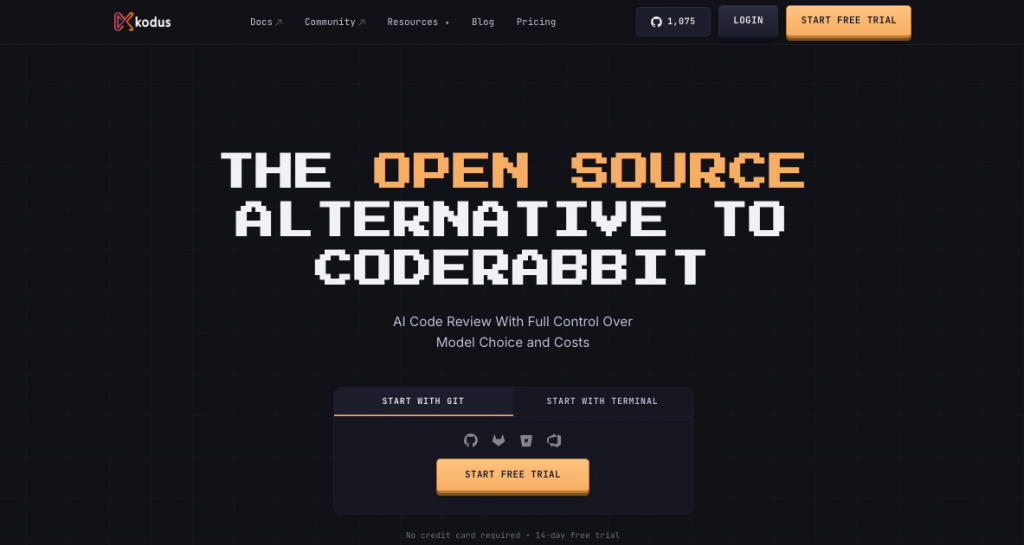
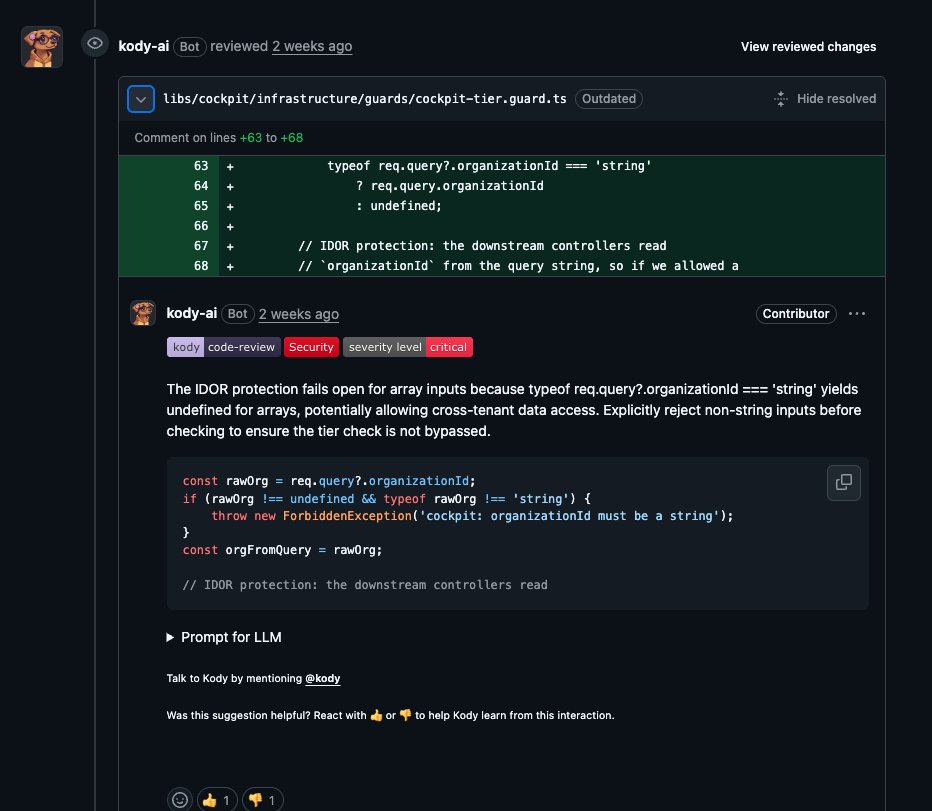
Kodus is an open-source AI code review tool built to give engineering teams more control over reviews. Other tools only see the changes, but Kodus understands the full code repository to provide suggestions that make sense in context. The main focus is allowing teams to define and follow their own rules using natural language.
Pros:
- Repository-level context: Kodus indexes your code. Its suggestions take into account the existing architecture, internal libraries, and code patterns. This greatly reduces low-value feedback.
- Custom rules in natural language: You can write rules in a simple YAML file, such as “All new public functions in the
api/directory must have JSDoc-style comments.” The system applies these rules automatically. - Model-agnostic and BYOK: You do not have to use a specific AI provider. You can switch between models, such as OpenAI, Anthropic, or local models, and use your own API keys. This lets you control costs and data privacy.
- Extensible with plugins: Since it is open source, you can add plugins. You can also create custom plugins to connect internal tools or run specific security checks during the review.
- Self-hosting option: It is open source and offers self-hosting, which completely changes the level of control for more demanding teams.
Cons:
- More initial setup: Getting the most out of Kodus involves some configuration, especially when writing custom rules. That said, it already has a library with hundreds of rules you can use, and when you connect it to your repository, it also generates several rules based on past reviews.
Pricing: Free on the Community plan; Teams at US$10 per dev per month + tokens (BYOK); Enterprise on request.
Best for: Teams that want to apply their own specific engineering standards, need reviews that understand the entire codebase, or need the freedom to self-host and choose their own AI models.
2. CodeRabbit
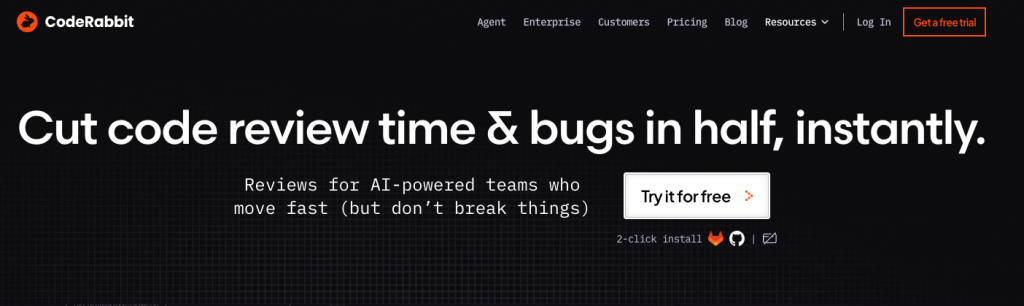
CodeRabbit is an AI code reviewer focused on fast adoption and a good experience inside the pull request workflow. It fits well in teams that want to reduce review time without redesigning the process, generating PR summaries, line-by-line comments, incremental suggestions, and some cross-repository analysis features.
From a technical point of view, it solves the problem of putting an automated reviewer into production quickly. The trade-off is that architectural flexibility and the ability to shape complex rules around the product domain tend to be lower than in a more open and controllable platform like Kodus.
Pros:
- Extremely fast setup: You can get it running in a few minutes. Onboarding is very smooth.
- Good-quality summaries: It generates clear and concise pull request summaries, which helps reviewers understand the context faster.
- Walkthrough mode: It can create a continuous comment thread that guides you through the changes in a PR, which can be useful in complex changes.
- Focus on developer experience: The interface and interactions are generally polished and designed to be easy to use.
Cons:
- Lacks repository context: Like many tools in the category, its analysis is mostly restricted to the diff, which can lead to suggestions that do not fit the project as a whole.
- Limited customization: Although it offers some configuration, you cannot define complex, domain-specific rules the way you can in Kodus.
- Too much comment noise: Some users feel it makes too many comments about style or small issues by default. This means you need to tune the tool to get useful feedback without excessive noise.
Pricing: Pro at US$30/user/month; Pro Plus at US$60/user/month; Enterprise on request.
Best for: Startups and small to mid-sized teams that want to quickly add an automated review layer to find common issues and speed up the PR process, without much configuration overhead.
3. Greptile
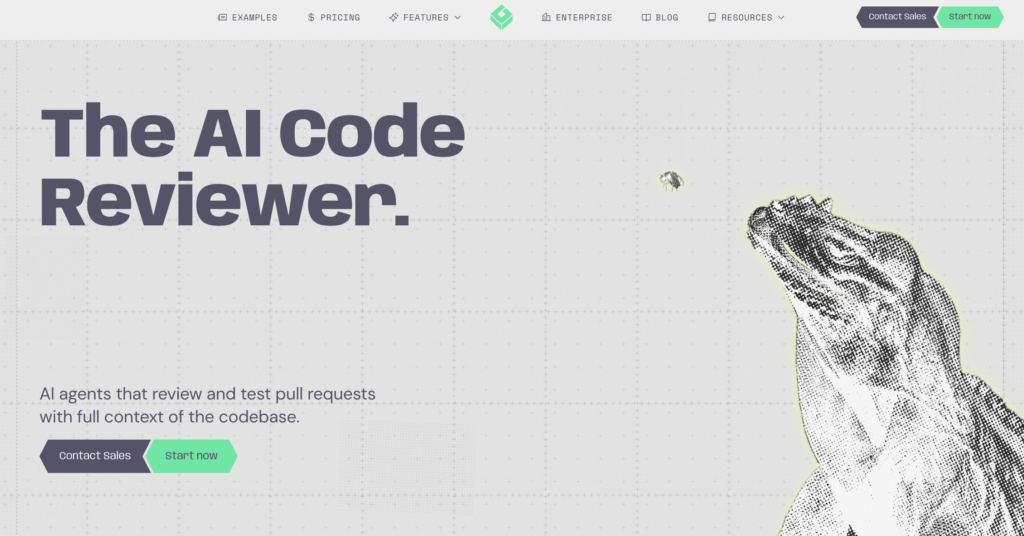
Greptile is an AI code review tool with a more technical positioning around codebase intelligence. The idea is to use a structural index of the repository to review PRs with a better understanding of dependencies, relationships between modules, and impact outside the modified section.
This makes the product interesting for teams that have already struggled with automated reviewers that get local details right, but fail when the problem depends on architectural context. In larger environments, this type of approach can reduce useless false positives and increase the chance of finding semantically relevant problems.
Pros:
- Excellent for exploring codebases: Its strongest point is helping developers understand large, complex, or unfamiliar codebases.
- Agent-based workflows: You can give it a high-level task, and it will read files, plan changes, and write code to execute it.
- Deep semantic understanding: It is good at finding conceptually similar pieces of code, even when the syntax is different.
- API access: Allows you to build custom tools on top of its code intelligence platform.
Cons:
- Learning curve: It takes some time to get used to its query language and agent-based system.
- Can be slow on large tasks: Complex queries or agent tasks in a large repository can take some time to finish.
Pricing: US$30 per seat per month, with 50 code reviews included and extra charges for additional reviews; Enterprise on request.
Best for: Teams working in large and legacy codebases, where understanding the existing code is a major challenge.
4. Bito
Bito is an AI code review tool with a more pragmatic proposal: improve the review process without requiring a major change in stack or budget. Besides AI comments, it mixes static analysis signals, repository-level configuration, and features that help move feedback earlier before the merge.
Technically, it works well for teams that want to raise the baseline of automated review, but do not necessarily need a product so focused on advanced context, open architecture, or model control.
Pros:
- Good entry cost: It is one of the more affordable options among commercial tools in the category.
- Relatively simple setup: Rollout tends to be faster and with less internal resistance.
- Repository-level configuration: Helps adapt behavior to the project without making things too complicated.
- Combines AI with more objective signals: This can improve practical usefulness for teams that like combining intelligent review with traditional checks.
- Good option for incremental improvement: Works well for teams that want to improve review without restructuring the whole process.
Cons:
- Does many things, but does not go deep into everything: Since it does many things, the code review feature is not as deep or configurable as dedicated tools like Kodus or CodeRabbit.
Pricing: Paid plans start at US$12 per user per month on the annual plan, with higher tiers and enterprise options on request.
Best for: Small and mid-sized teams that want to improve automated review with good value and simple adoption.
5. GitHub Copilot Code Review
GitHub Copilot Code Review is the most natural choice for teams that already operate almost everything inside GitHub. It adds automated review to the pull request workflow without requiring the adoption of a new platform, which reduces organizational and technical friction.
From a product point of view, it makes the most sense when convenience is the priority. From an engineering point of view, this also means accepting a more closed environment, with less control over models, less deployment flexibility, and less room to deeply shape the review workflow.
Pros:
- Smooth GitHub integration: It already lives inside the platform you use. There is nothing to install.
- Uses the Copilot ecosystem: It uses the same models and configuration as the popular Copilot tool for code autocomplete.
- Simple and accessible: For teams already paying for Copilot, it is an easy feature to activate and test.
- Custom instructions per repository: Allows some degree of adaptation to the project.
- Continuously improving: Microsoft is investing heavily in it, so its capabilities are likely to grow quickly.
Cons:
- Very limited customization: It is a black box. You have little or no control over the rules, model, or reviewer behavior.
- Lacks deep context: Like many other tools, its analysis is mostly focused on the diff and does not have a deep understanding of the whole repository.
- Vendor lock-in: It ties you even more to the GitHub and Microsoft ecosystem.
- Still in an early stage: The feature set is still more limited compared with more mature, dedicated code review tools.
Pricing: Plans start at US$10 per user per month, with higher Business and Enterprise tiers and an announced move toward usage-based billing for part of the consumption.
Best for: Teams already committed to the GitHub ecosystem that want a simple and integrated AI review solution, without major customization or control needs.
6. Snyk Code
Snyk Code is a code analysis tool that is more security-oriented than a general-purpose code review tool. It combines SAST with an AI-based semantic engine to identify vulnerabilities, data flow issues, API misuse, and other security risks directly in the IDE, CI, and pull requests.
In practice, it fits better in the conversation when the team is looking for security-first analysis, not necessarily a PR reviewer as adaptable as Kodus, Qodo, or CodeRabbit. It can work well as part of the review flow, but its main job is still finding security risks with less noise than traditional scanners.
Pros:
- Strong in security: Its focus on SAST and data flow analysis is deeper than what you usually get from general-purpose PR reviewers.
- Good integration with the development workflow: Works in the IDE, PR checks, CI/CD, and API.
- Less noise than older scanners: The product’s technical positioning is around reducing false positives with semantic analysis.
- Good fit for AppSec and platform teams: Works well for teams that want to consolidate code security in the same stack.
Cons:
- Not a 1:1 replacement for an AI code review platform: The core of the product is security, not general engineering review.
- Less flexible rule and workflow customization: It is not as adaptable as a tool like Kodus, which was built to fit the team’s review process.
Pricing: Free with limited tests; Team starts at US$25 per contributing developer per month; Ignite starts at US$1,260 per contributing developer per year; Enterprise by quote.
Best for: Teams that want to put code security at the center of review, especially in organizations with more mature AppSec practices.
7. Graphite Agent
Graphite Agent is an AI reviewer that makes the most sense for teams that already use stacked PRs or want to adopt that workflow. Its differentiator is not only review comments, but the fact that it lives inside a platform built to break large changes into smaller PRs, review stacks, explain diffs, suggest fixes, and even help resolve CI failures.
That makes Graphite especially interesting for teams struggling with large PRs and review bottlenecks. Instead of competing only as “another comment bot,” it tries to improve the entire mechanics of how the team creates, reviews, and merges dependent changes. On the other hand, it is much more GitHub-centric and less flexible in architecture than Kodus.
Pros:
- Excellent fit for stacked PRs: This is the scenario where it stands out the most technically.
- Good context inside the review flow: The product brings codebase and PR history context into review and chat.
- Operational help beyond review: It can explain diffs, summarize PRs, suggest fixes, and even address CI failures.
- Custom rules and automations: Higher-tier plans include AI review customizations, filters, and rules.
- Good fit for review throughput: It works well for teams that want to reduce average PR size and increase review throughput.
Cons:
- Very GitHub-centered: The official documentation and product flow revolve around GitHub sync and stacked PRs within its ecosystem.
- Works best when the team adopts the full Graphite workflow: For some teams, that is an advantage. For others, it creates too much dependency.
Pricing: Free Hobby plan; Starter at US$20 per user per month on the annual plan; Team at US$40 per user per month on the annual plan, with unlimited AI reviews; Enterprise by quote.
Best for: GitHub-first teams that use or want to use stacked PRs as a core code review practice.
8. Cursor Bugbot

Cursor Bugbot is an AI reviewer focused on finding logic bugs with low noise inside GitHub. The product positions itself less as a “general PR commenter” and more as a pre-merge reviewer for catching real behavior problems, edge cases, and incorrect code interactions before merge.
The most interesting technical point is that it uses rules in .cursor/BUGBOT.md files scoped by directory, which gives it a more granular context model than a single global prompt. This helps a lot in monorepos and projects with very different areas. Still, it remains more limited to the Cursor and GitHub ecosystem, and less flexible than Kodus in infrastructure, providers, and workflow.
Pros:
- Directory-scoped rules: The
.cursor/BUGBOT.mdmodel is technically interesting for large projects. - Good GitHub integration: It runs automatically on PR updates and can also be triggered manually.
- Connects well with the Cursor ecosystem: Found issues can open directly in the editor or web environment for fixing.
- Useful for teams already using Cursor: It makes sense for teams that use Cursor day to day, especially with AI-generated code.
Cons:
- GitHub-only in the current public workflow: It does not cover the same scenario for multi-provider teams.
Pricing: Free with limited reviews; Bugbot Pro at US$40 per user per month, with reviews on up to 200 PRs/month; Bugbot Teams at US$40 per user per month, with reviews on all PRs; Enterprise by quote.
Best for: GitHub-first teams that already use Cursor and want a reviewer focused on logic bugs, especially in PRs with AI-generated code.
Full comparison table
Here is a more detailed analysis of how these tools compare across important features.
| Feature | Kodus | CodeRabbit | Greptile | Bito | GitHub Copilot Code Review | Snyk Code | Graphite Agent | Cursor Bugbot |
|---|---|---|---|---|---|---|---|---|
| Repository-level context | Yes | Yes | Yes | Yes | Partial | Security-focused context | Yes, inside Graphite workflow | Yes, inside Cursor/GitHub workflow |
| Language support | Any language | Any language | Any language | 30+ languages | Any language | Any language | Any language | Any language |
| Custom review rules | Yes | Yes | Yes | Yes | Yes | Limited compared with review platforms | Yes, on higher tiers | Yes, directory-scoped rules |
| Natural language configuration | Strong | Medium | Medium | Medium | Medium | Limited | Medium | Medium |
| Plugin support | Yes, MCP plugins | Yes, MCP and knowledge base | Context files and guides | Integrations and guideline files | Not in the same sense | Integrations, CI/CD, API | Graphite workflow integrations | Cursor ecosystem |
| BYOK | Yes | No | No | No | No | No | No | No |
| Self-hosting | Yes | Yes, Enterprise | Yes | Yes | No dedicated self-hosted product | No | No | No |
| Open source | Yes | No | No | No | No | No | No | No |
| GitHub support | Yes | Yes | Yes | Yes | Yes | Yes | Yes | Yes |
| GitLab support | Yes | Yes | Yes | Yes | No | Yes | No | No |
| Bitbucket support | Yes | Yes | Yes | Yes | No | Yes | No | No |
| Azure DevOps support | Yes | Yes | Yes | Yes | No | Yes | No | No |
| Pricing model | US$10/user/month + tokens | US$60/user/month | US$30/user/month | US$25/user/month | US$10/user/month | US$25/dev/month | US$50/user/month | US$40/user/month |
| Best fit | Control, flexibility, and context | Managed multi-platform | Deep context | Good value | GitHub-first | Security-first analysis | Stacked PR workflow | Cursor + GitHub teams |
How to choose your Qodo alternative
Choosing the right tool depends entirely on what your team values most. Here are a few ideas to help you decide.
If you need to apply your own engineering standards
Your choice is clear. Kodus is the only tool on this list built from the start to create and apply custom, domain-specific rules.
If your code reviews suffer from lack of context
If reviewers constantly need to pull branches locally to understand how a change interacts with the rest of the application, you need a tool with repository-level context. Kodus and Greptile are the best here, but Kodus is more focused on applying that context inside the review workflow itself.
If you have strict security, data privacy, or hosting needs
The ability to self-host or use your own keys is very important here. Kodus is the best choice because it is open source and allows both self-hosting and a BYOK model. This lets you fully control where your code and data stay.
If you just want something simple that works right away
If your team is new to AI code review and wants an easy way to start, CodeRabbit is a great choice. It is quick to set up and quickly delivers useful summaries and line-by-line comments. GitHub Copilot is also an option if you already pay for it.
If budget is the main constraint
The open-source version of Kodus is free if you are willing to host it yourself. For cloud solutions, Bito and CodeRabbit have free plans that work well for small projects or for testing the service.
If security is the main concern
Snyk Code makes sense when the main goal is finding vulnerabilities, data flow issues, API misuse, and other code security problems. It is less of a general AI code review platform and more of a security analysis tool that can support the review process.
If your team wants to reduce large PRs
Graphite Agent is worth considering if your team already uses stacked PRs or wants to adopt that workflow. It is not just about AI comments. It is about changing how the team breaks down, reviews, and merges dependent changes.
If your team already uses Cursor
Cursor Bugbot is a good fit if your team already works inside Cursor and GitHub. The directory-scoped rule model is interesting, especially for monorepos, but it is less flexible for teams that need multi-provider support or more control over infrastructure.
Frequently asked questions
Is Kodus a good Qodo alternative?
Yes, Kodus is a strong Qodo alternative, especially for teams that feel they have outgrown what Qodo offers. If your main problems with Qodo are that it does not understand your code, cannot apply custom rules, or feels like a “black box,” Kodus was built to fix these specific problems by giving control back to the engineering team.
What is the cheapest Qodo alternative?
The cheapest option is the open-source, self-hosted version of Kodus, which is free. For hosted cloud services, most tools offer a limited free plan, with Bito and CodeRabbit being good starting points for small teams or individual developers.
Can I migrate from Qodo to Kodus?
Yes. The migration process is straightforward. Since Kodus works as a CI check, for example, a GitHub Action, you would install the Kodus app or action in your repository and then disable the Qodo integration. You can start with Kodus’s default rule set and gradually add your own custom rules in a kodus.yaml file in your repository.
Are there any self-hosted Qodo alternatives?
Yes, Kodus is the main self-hosted alternative. Its open-source design means you can run the entire platform on your own systems, ensuring your code stays in your environment. This is a very important feature for companies in regulated industries or with strict data privacy rules.
Final verdict
All the tools on this list are useful, but the right choice depends on your team’s maturity and what it specifically needs.
Tools like CodeRabbit and GitHub Copilot are great for getting started with AI code review. They deliver useful, immediate benefits with minimal setup, and they are a good step up from fully manual review processes.
Snyk Code, Graphite Agent, and Cursor Bugbot are also worth considering, but for more specific cases. Snyk Code is strongest when security is the main concern. Graphite Agent is strongest when stacked PRs are part of the workflow. Cursor Bugbot makes the most sense when the team already works inside Cursor and GitHub.
But for experienced engineering teams that want to maintain quality, consistency, and speed as they grow, control and context become essential. This is where Kodus stands out.
It is built around the idea that your team knows its own standards best. It offers code context, custom rules in plain language, and a flexible open-source foundation. That means it goes beyond generic suggestions and genuinely helps keep your team’s engineering quality high. If you need a Qodo alternative because you want a tool that works with your team’s process, instead of forcing you to change that process, then Kodus is worth testing.